Operating Instructions
33
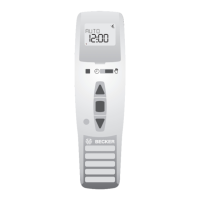
+/- Buttons
The following features can be operated using the + and - buttons:
• Menu ➔ Change setting
• AUTO mode ➔ Request information
• + Button ➔ Next automatic switching time ▲
• - Button ➔ Next automatic switching time ▼
• - Button and OK button ➔ Astro time ▼
MENU button
By pressing the MENU button, you can see an overview of the menu or the operating
mode.
The currently displayed values are not saved.
RESET button
When the RESET button is pressed (with a ballpoint pen or similar), the TC445 reverts to
the default setting.
Exception: menu levels of function, language and city.
The transmitter remains programmed in the receiver.
Note
If the TC445 is in programming mode and none of the buttons are pressed within
a period of 1 minute, the timer will automatically return to operating mode.
Menu Time/date
TIME/DATE
This menu is used to set the time and the date.
Menu Programme
PROGRAMME
Two different functions can be set in the PROGRAMME menu:
• Astro Evening (1-5 and 6,7)
• Separate (1-5 and 6,7)





 To Next Page