Mounting and wiring
CU1521-xxxx, CU156124 Version: 2.5
4.3 Diagnostic LEDs
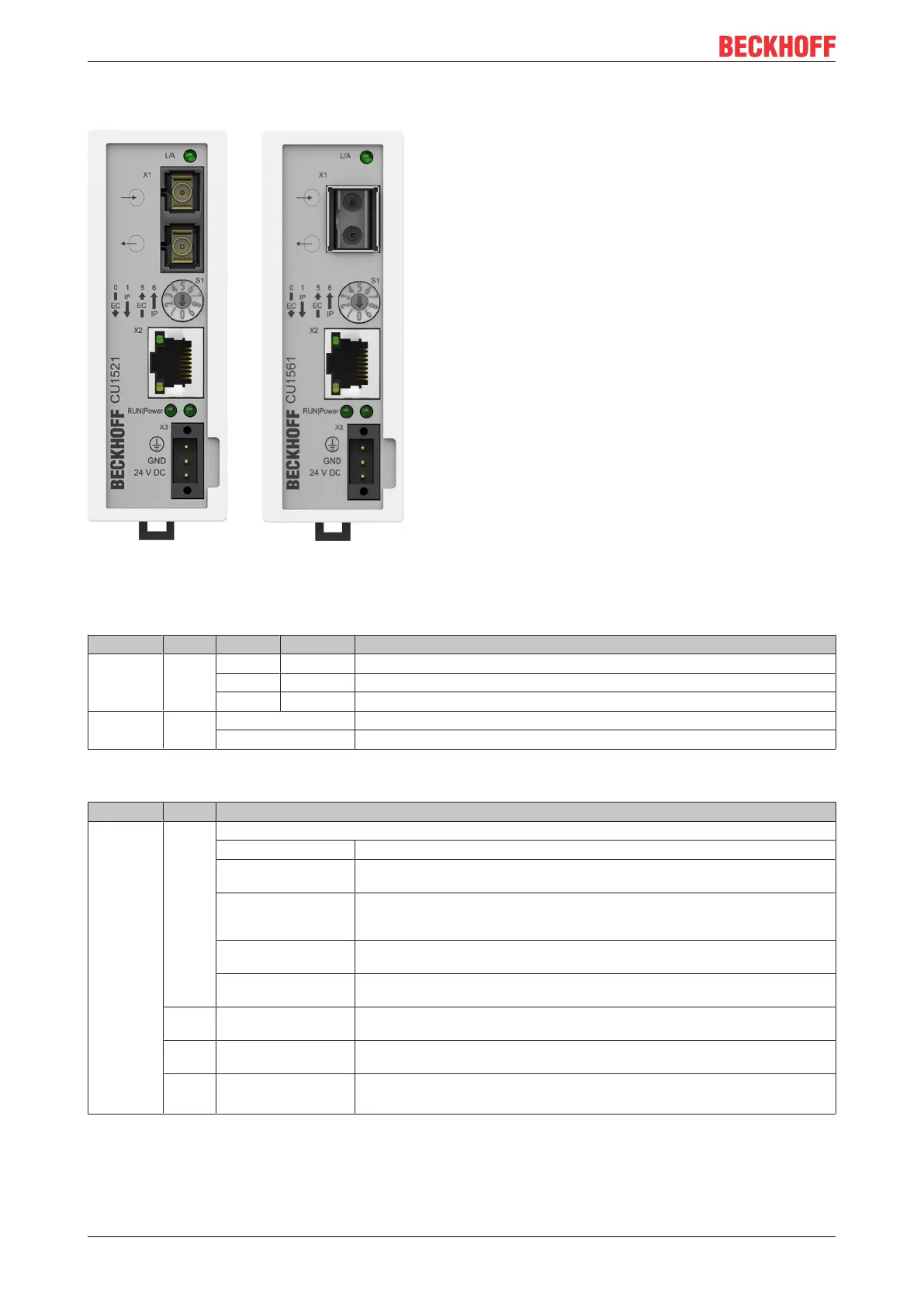
Fig.12: Pin assignment CU1521, CU1521-0010, CU1561
LEDs for fieldbus diagnostics/power supply
LED Color Display State Description
L/A (X1)
green (x2)
green off - no connection on the EtherCAT strand
on linked EtherCAT device connected
flashing active Communication with EtherCAT device
Power green off No supply voltage
on 24V supply voltage present
LED diagnostics EtherCAT State Machine
LED Color Meaning
RUN green This LED indicates the terminal's operating state:
off State of the EtherCAT State Machine: INIT=initialization of the terminal
single flash State of the EtherCAT State Machine: PREOP = function for mailbox communication
and different standard-settings set
flashing State of the EtherCAT State Machine: SAFEOP = verification of the sync manager
channels and the distributed clocks.
Outputs remain in safe state
on State of the EtherCAT State Machine: OP = normal operating state; mailbox and
process data communication is possible
flickering State of the EtherCAT State Machine: BOOTSTRAP = function for terminal firmware
updates
orange on CU15x1 is in EtherCAT mode, rotary switch was moved during operation
Remedy: Resetting or voltage reset
red on CU15x1 is in Ethernet mode, rotary switch was moved during operation
Remedy: Resetting or voltage reset
red/
green
flashing Invalid rotary switch position after power-on
Remedy: Move rotary switch to valid position



 To Next Page