Commissioning/application notes
CU1521-xxxx, CU1561 41Version: 2.5
5.3.2 Connecting and disconnecting the POF cable
To connect the cable, insert the plug (available as an accessory in the connector set ZS1090-0008) into the
connection opening until it audibly latches.
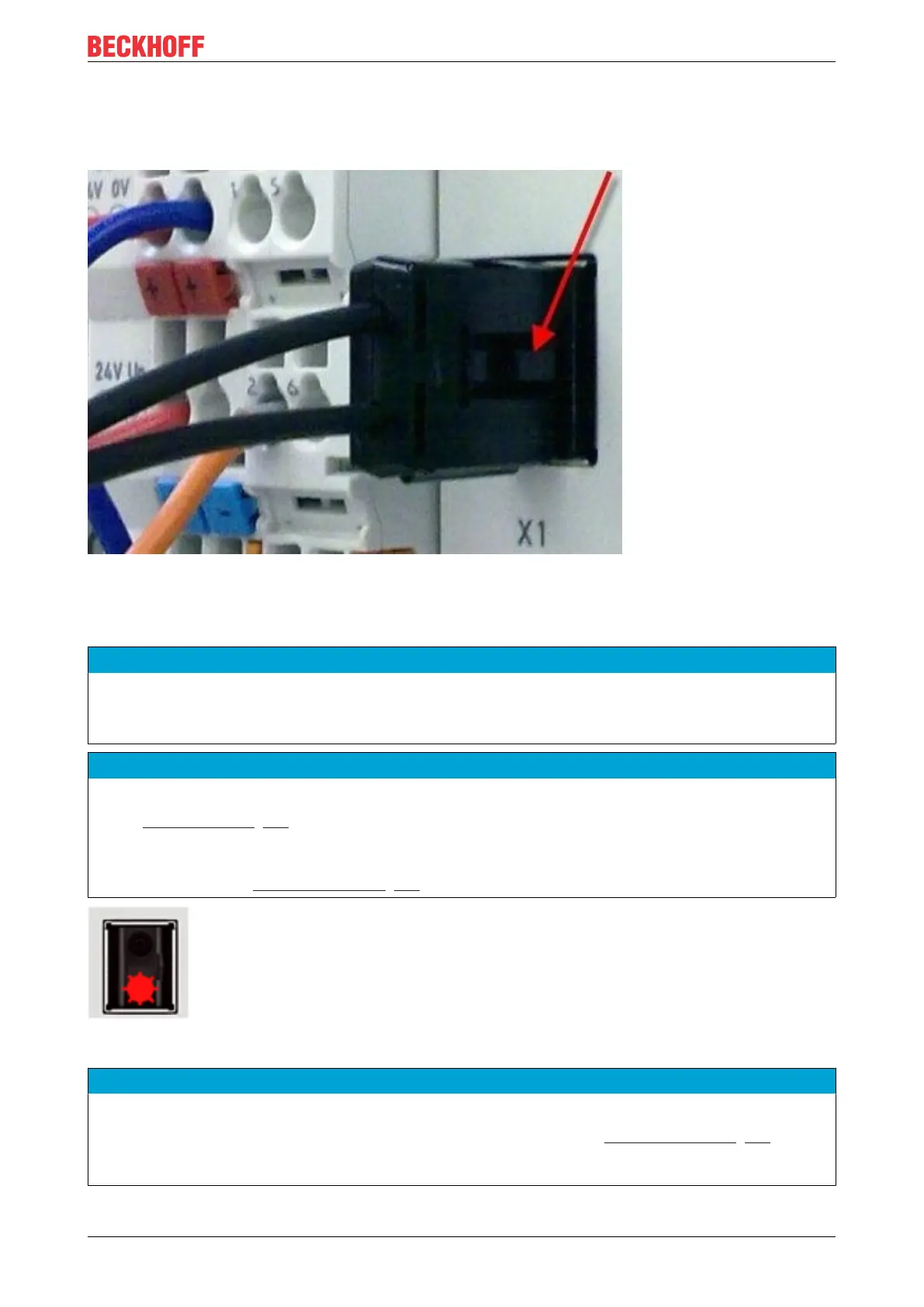
Fig.26: Latching lug with release catch on the POF duplex plug
To release the connector activate the release device with the latching lug. This is located on the right-hand
side of the connector (see Fig. Latching lug with release catch on the POF duplex plug)
NOTICE
Risk of damage to the cable!
To release the cable, press the release catch on the plug and pull the plug at the same time – never pull by
the POF cable alone!
NOTICE
TX / Rx channel assignment
During cable assembly [}43] note the assignment of the optical channels in the connection socket. In the
case of the CU1561 the light-emitting transmitter channel (Tx) is the lower outlet in the connection socket
(Fig. Transmitter channel of the CU1561).
Be sure to observe the safety instructions [}47] for class 1 lasers!
Fig.27: Transmitter channel of the CU1561
NOTICE
Use of blind plugs
In order to avoid accidents due to glare (Class 1 laser, please observe the safety instructions [}47]) and
to protect the transceiver against environmental influences, unused sockets should be sealed using the
blind plugs provided (Fig. Blind plugs in unused sockets)



 To Next Page