Commissioning/Configuration
EP1xxx64 Version: 2.5.0
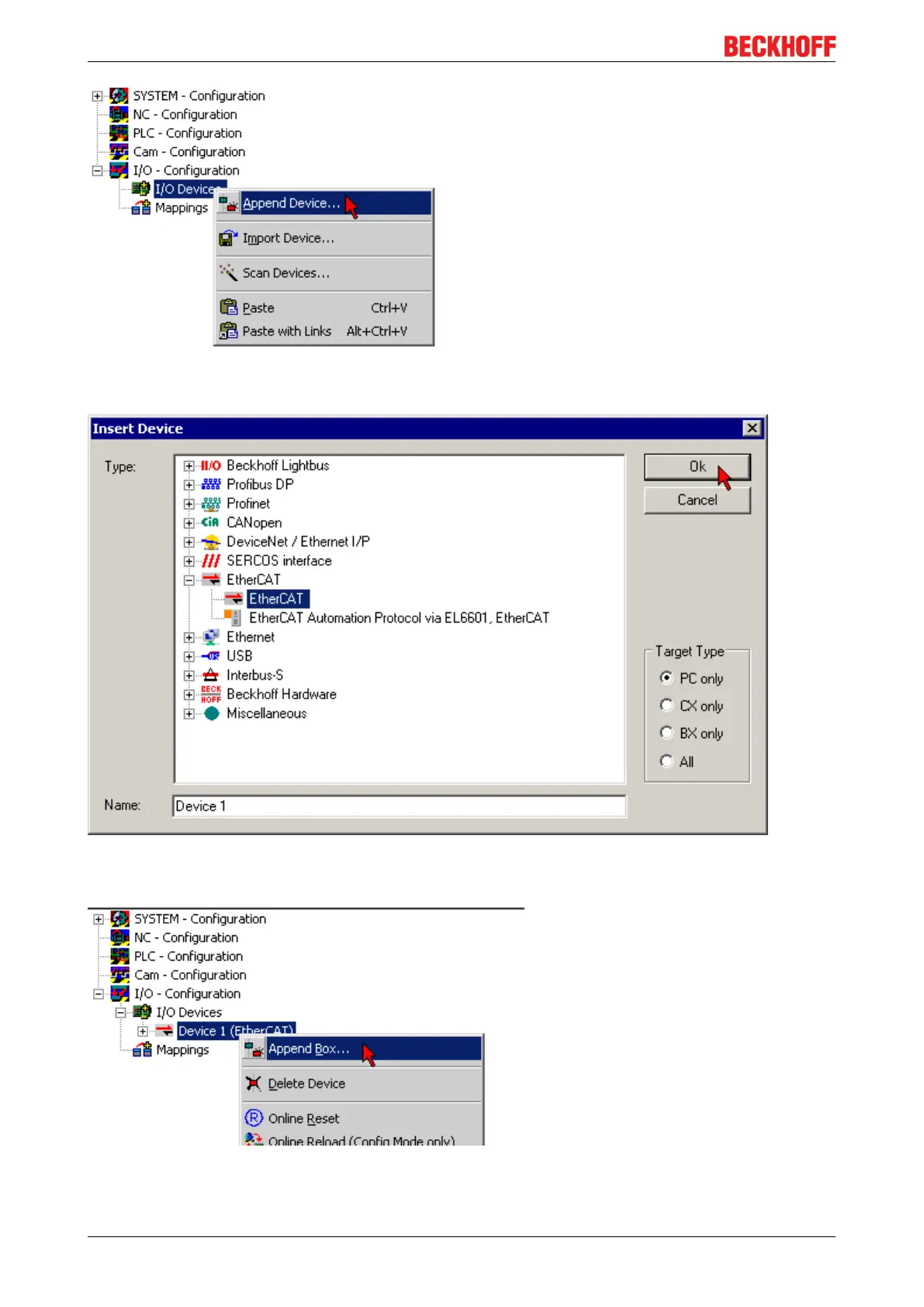
Fig.61: Appending a new I/O device (I/O Devices -> right-click -> Append Device...)
Fig.62: Selecting the device EtherCAT
• Append a new box.
Fig.63: Appending a new box (Device -> right-click -> Append Box...)
• In the dialog that appears select the desired box (e.g. EP2816-0008), and confirm with OK.


 To Next Page