Commissioning/Configuration
EP1xxx 63Version: 2.5.0
4 Commissioning/Configuration
4.1 Inserting into the EtherCAT network
Note
Installation of the latest XML device description
Please ensure that you have installed the latest XML device description in TwinCAT. This
can be downloaded from the Beckhoff website (http://www.beckhoff.de/english/download/
elconfg.htm?id=1983920606140) and installed according to the installation instructions.
At the Beckhoff TwinCAT System Manager the configuration tree can be build in two different ways:
• by scanning [}63] for existing hardware (called "online") and
• by manual inserting/appending [}63] of fieldbus devices, couplers and slaves.
Automatic scanning in of the box
• The EtherCAT system must be in a safe, de-energized state before the EtherCAT modules are
connected to the EtherCAT network!
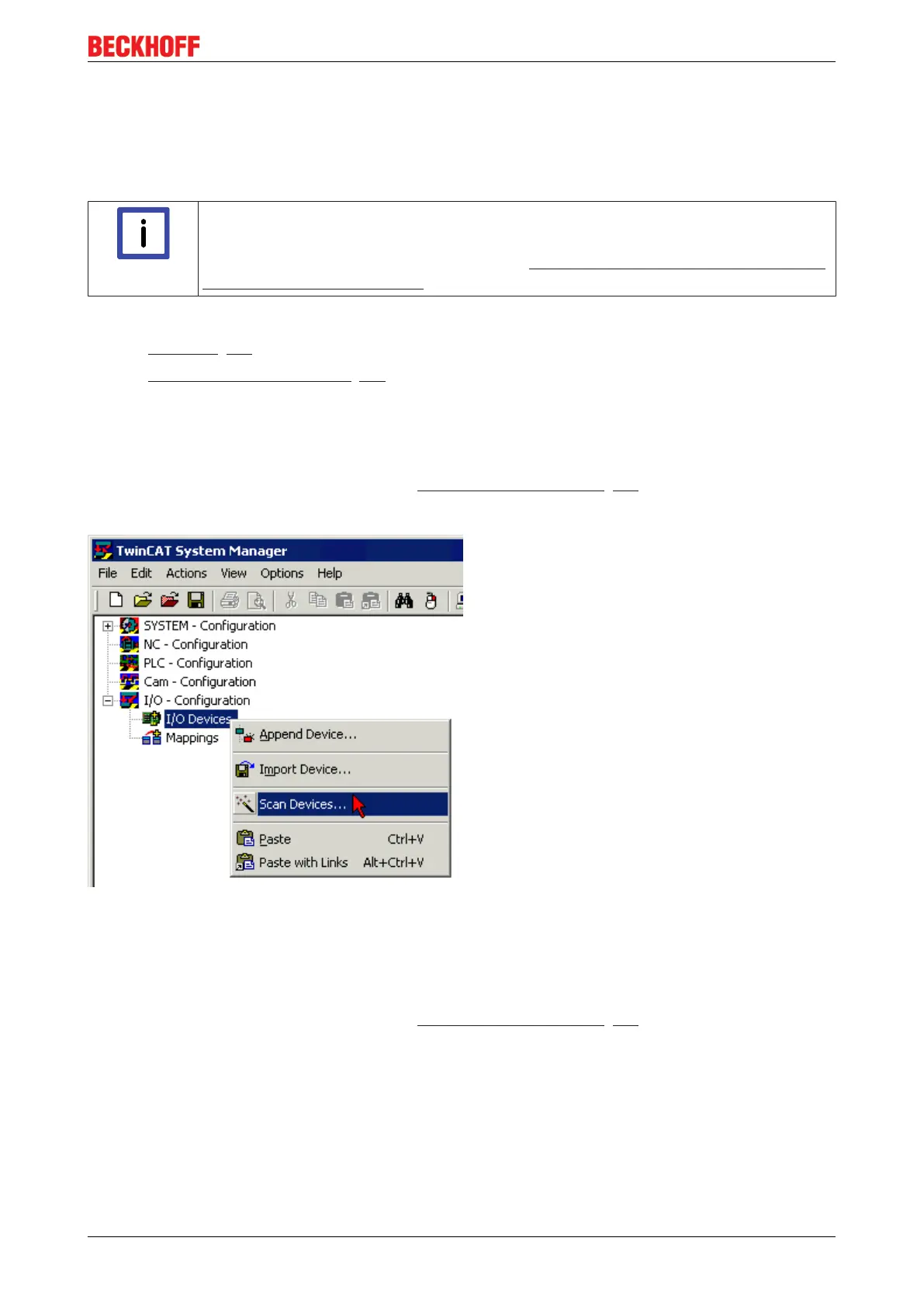
• Switch on the operating voltage, open the TwinCAT System Manager [}66] (Config mode), and scan
in the devices (see Fig. 1). Acknowledge all dialogs with "OK", so that the configuration is in "FreeRun"
mode.
Fig.60: Scanning in the configuration (I/O Devices -> right-click -> Scan Devices...)
Appending a module manually
• The EtherCAT system must be in a safe, de-energized state before the EtherCAT modules are
connected to the EtherCAT network!
• Switch on the operating voltage, open the TwinCAT System Manager [}66] (Config mode)
• Append a new I/O device. In the dialog that appears select the device EtherCAT (Direct Mode), and
confirm with OK.


 To Next Page