12
There is no paired
key. Would you like
to pair with
bluetooth host?
Bluetooth
OK
Cancel
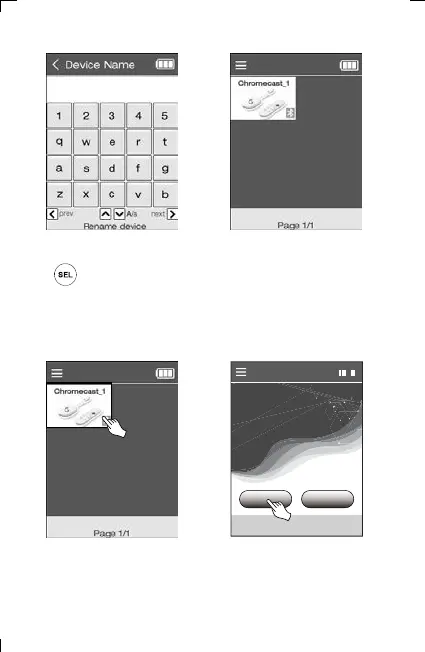
5) Enter the device name.
After completion, press the
key to confirm.
6) Go to the home screen
and check the added
devices.
※ How to pair Chromecast class
(Other Bluetooth class pairing methods are similar.)
7) Select Chromecast class
device from home screen.
8) Select OK on the pairing
screen
6. Adding and Using OTT/Bluetooth Devices OTT/Bluetooth



 To Next Page