27
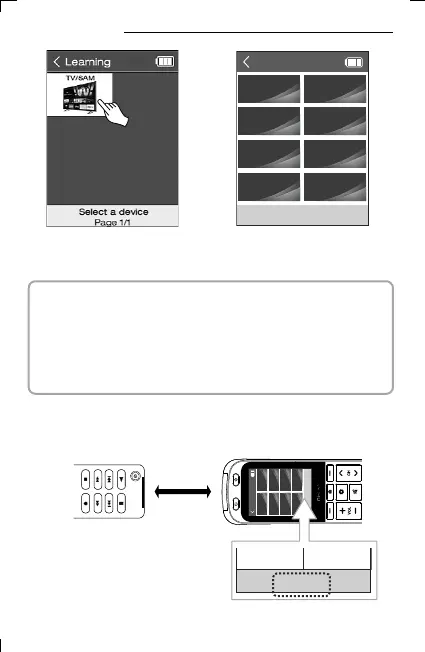
4) Select Devives.
INPUT
Learning
TV INPUT
TIMER SOUND
CC RATIO
SIMPLINK
+
[2/5]
Press any key to learn
5) Select the button to apply
IR learning.
▪ In addition to the buttons on the LCD screen, the actual buttons
(ON/OFF, Volume Up/Down, etc.) can also be selected.
However, the home screen, the previous/next page button, and the
setting button cannot be applied to IR learning.
You can add a new button by selecting the + button on the screen.
IR Learning
[2/5]
Press any key to learn
6) When the phrase "READY" blinks at the bottom of the screen,
you are ready for IR learning.
< existing remote to cop >
11. IR Learning



 To Next Page