
EasyManua.ls Logo

Bego Nautilus CC plus - User Manual

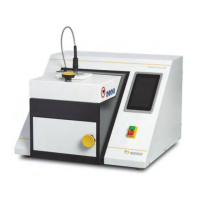
Bego Nautilus CC plus
88 pages
Print Icon
To Next Page IconTo Next Page
Loading...
NAUTILUS
®
CC plus
39800101
86105 DB-en/00
NAUTILUS
®
T
39700101
Nautilus
®
CC plus
Nautilus
®
T
DOC 86105-en / 00
de
en

Other manuals for Bego Nautilus CC plus

Questions and Answers

  • C
    Cory VazquezAug 3, 2025
    What to do if my Bego Dental equipment shows E002 error?
    • A
      Albert DawsonAug 3, 2025
      If the Bego Dental equipment displays error code E002, it indicates there is no compressed air. Make sure that the compressed air supply is at least 5 bar (100 l/min) or switch off any other devices using compressed air. If needed, install a compressed air reservoir. Also, clean the seals.
  • L
    laurieperezAug 8, 2025
    What to do if my Bego Nautilus CC plus Dental equipment shows E001 error?
    • K
      Kimberly PinedaAug 8, 2025
      If the Bego Dental equipment displays error code E001, it means there is no water. You should add water.
  • S
    Scott HuntAug 12, 2025
    Why vacuum and/or compressed air are not working in my Bego Nautilus CC plus Dental equipment?
    • A
      Austin MillerAug 12, 2025
      If the Bego Dental equipment is not working with vacuum and/or compressed air, the air filter might be dirty. Replace the air filter.
  • V
    vincent95Aug 17, 2025
    What to do if my Bego Nautilus CC plus shows E003 error?
    • M
      morrispatrickAug 17, 2025
      If the Bego Dental equipment displays error code E003, it means the lock is not activated. Ensure that the doors are closed properly.
  • D
    David ChangAug 23, 2025
    Why is there a hissing sound during operation of my Bego Nautilus CC plus Dental equipment?
    • A
      Abigail McbrideAug 23, 2025
      If you hear a hissing sound during the operation of your Bego Dental equipment, the sealing surfaces on the crucible and/or mold door may be dirty. Remember that the parts are very hot! Clean the seals and sealing surfaces.
  • J
    Joseph SanchezAug 28, 2025
    How to troubleshoot a blank display on my Bego Nautilus CC plus Dental equipment when the main switch is on?
    • Z
      Zachary GillAug 28, 2025
      If the main switch of your Bego Dental equipment is on, but the display is blank, the device might not be getting power. Check the power supply connection and the fuses.

Summary

Safety Instructions

General Safety Guidelines

Basic safety rules for device installation and operation.

Handling and Maintenance Safety

Safety measures for handling the device and performing maintenance.

Repairs and Installation Safety

Guidelines for device repairs, installation, and component safety.

Special Safety Instructions

Device-Specific Hazards and Precautions

Specific warnings regarding electric shock, radiation, heat, and deflagration.

Installation Procedures

Initial Commissioning

Registering the NAUTILUS with myBEGO

Guide to activating the device via the myBEGO customer portal.

Basic Principles: Crucible, Moulds, and Work

Casting Non-BEGO Alloys

Alloy Safety and Program Creation

Safety warnings for non-BEGO alloys and steps for creating custom programs.

Alloy Program Tables

NAUTILUS CC plus Casting Process

Automatic Casting Workflow

Detailed steps for performing automatic casting.

Manual Casting Procedures

Instructions for manual casting with and without a pyrometer.

NAUTILUS T Casting Process

Casting Process Modes

Explanation of casting modes for the NAUTILUS T.

Casting with Camera Procedure

Steps for performing casting using the camera function.

Casting without Camera Procedure

Steps for performing casting without the camera function.

Service and Maintenance

Service Safety and Precautions

Safety measures before performing service or maintenance work.

Maintenance Tasks and Intervals

Routine maintenance tasks based on cast counts or time.

Adding Cooling Water

Software Updates and Data Export

Troubleshooting Guide

Error Messages and Causes

List of error messages, their causes, and remedies.

Warnings and Their Meanings

Explanation of warning messages and recommended actions.

Bego Nautilus CC plus Specifications

General IconGeneral
BrandBego
ModelNautilus CC plus
CategoryDental equipment
LanguageEnglish

Related product manuals