– 31 –
© behr Labor-Technik 2013
249101
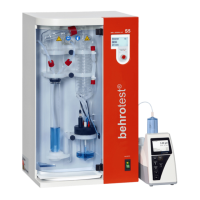
Adapting the behr S 5 to your
personal requirements
Your steam distillation apparatus can be adapted to
a significant degree to accommodate your personal
requirements and those of your work environment.
To do this, first select Options in the main menu and
then select Device in the sub-menu.
You will find several options.
Choosing the language
Language This enables you to choose the language
of the display.
These languages are available:
D = German
GB = English
F = French and
one additional language, which you may
have possibly specified in purchasing your
behr S 5.
Configuring the level sensor
Canister Switches the level sensor for the reagent
and waste canister set on or off.
The factory default setting is Off. Switch
the setting to On, if you are using the
behr KAS 40 canister set. If you are not
using the canister set, then do not change
the factory default setting.
Setting the time
Time Set the time of day using the operating
control knob.
Once all settings in this menu have been made in
accordance with your requirements, you can proceed to
the next menu using ==>>.
Selecting a titration unit
Titration unit The entry must match the type of titra-
tion unit that is connected to the S 5.
If the entry doesn’t match, select the
correct type.
Instead, you can use the S 5
without using the titrator; select
“Not connected”.
Depending on the type of your titration unit, an entry
field for additional parameters may appear. Do not
change it unless you are changing the titration unit. If
need be, ask your behr customer service.
After changing the Titration unit entry, switch the S 5 off
and on again. The new entry will not take effect before
the S 5 is switched on again.
Select ==>> to proceed to the next menu, or
<<== to return to the previous menu.
Cooling Water Source Setting
Cool water The factory default setting is Off. Do
not change this setting if you have
connected the distillation apparatus to
a cold water tap. Cold water will only
be drawn from the tap during actual
distillation operation.
Select On, if you are using a circula-
ting water cooler.The cooler will circu-
late cold water . The cooling water will
circulate continuously as long as the
steam distillation apparatus remains
switched on.
Follow the instructions in the ope-
rating manual provided with your
circulating water cooler.
Select ==>> to proceed to the next menu, or
<<== to return to the previous menu.
Setting the Date
On the third page of the Device Menu you can set the
current date. Select and modify the Year, Month and
Day entries separately.
Select <<== to return to the previous menues.


 To Next Page