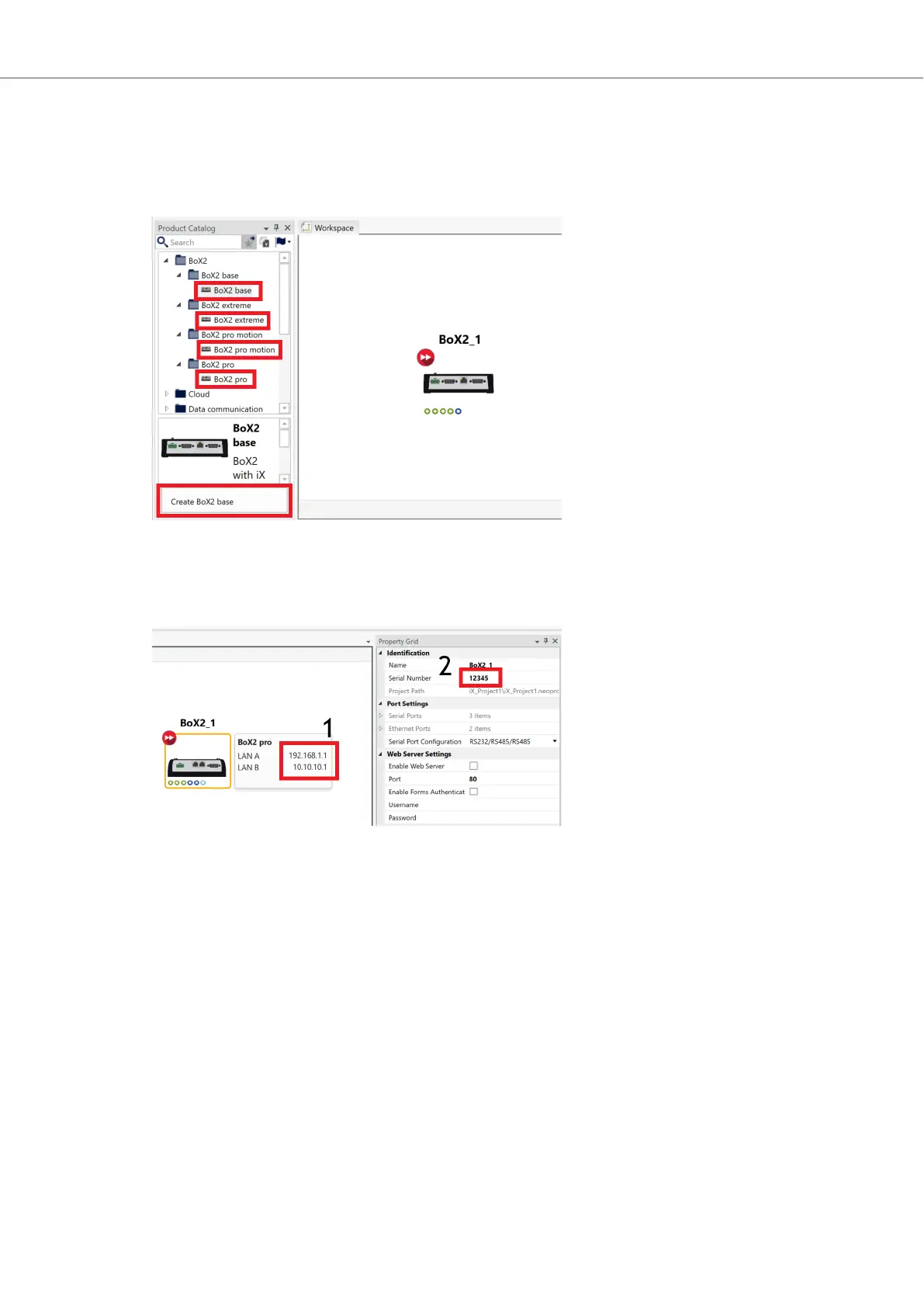
Open WARP and do the following:
1. Locate your type of BoX2 device in the Product Catalog and add it, either by dragging and
dropping it into your Workspace, or by selecting the device and then clicking the Create button
(located bottom left in the following image).
2. Select your BoX2 device (select BoX2 base if using BoX2 base v2) and write your desired IP
address(es) in the text fields (1) and add the Serial Number of your BoX2 device in the Property
Grid (2).
Configuration
Beijer Electronics, MAEN363 11 2023-06



 To Next Page