NOTE
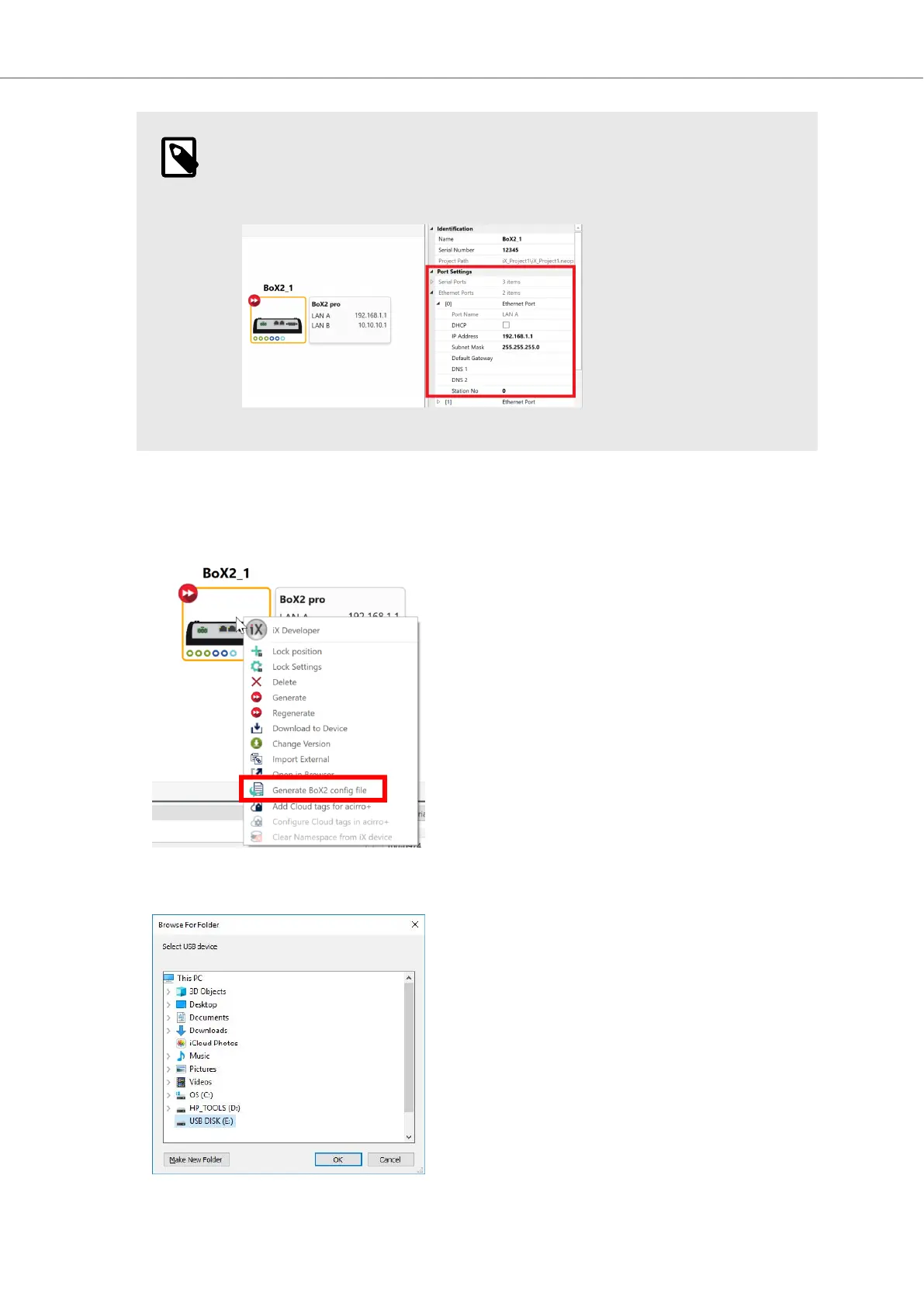
You can also edit your IP address, and make further adjustments, in the
Property Grid.
3. Right-click on your BoX2 device, to open the context menu.
4. Select Generate BoX2 config file to open the file browser.
5. From the browser, choose to save the file to your USB flash drive or SD card.
Configuration
2023-06 12 Beijer Electronics, MAEN363



 To Next Page