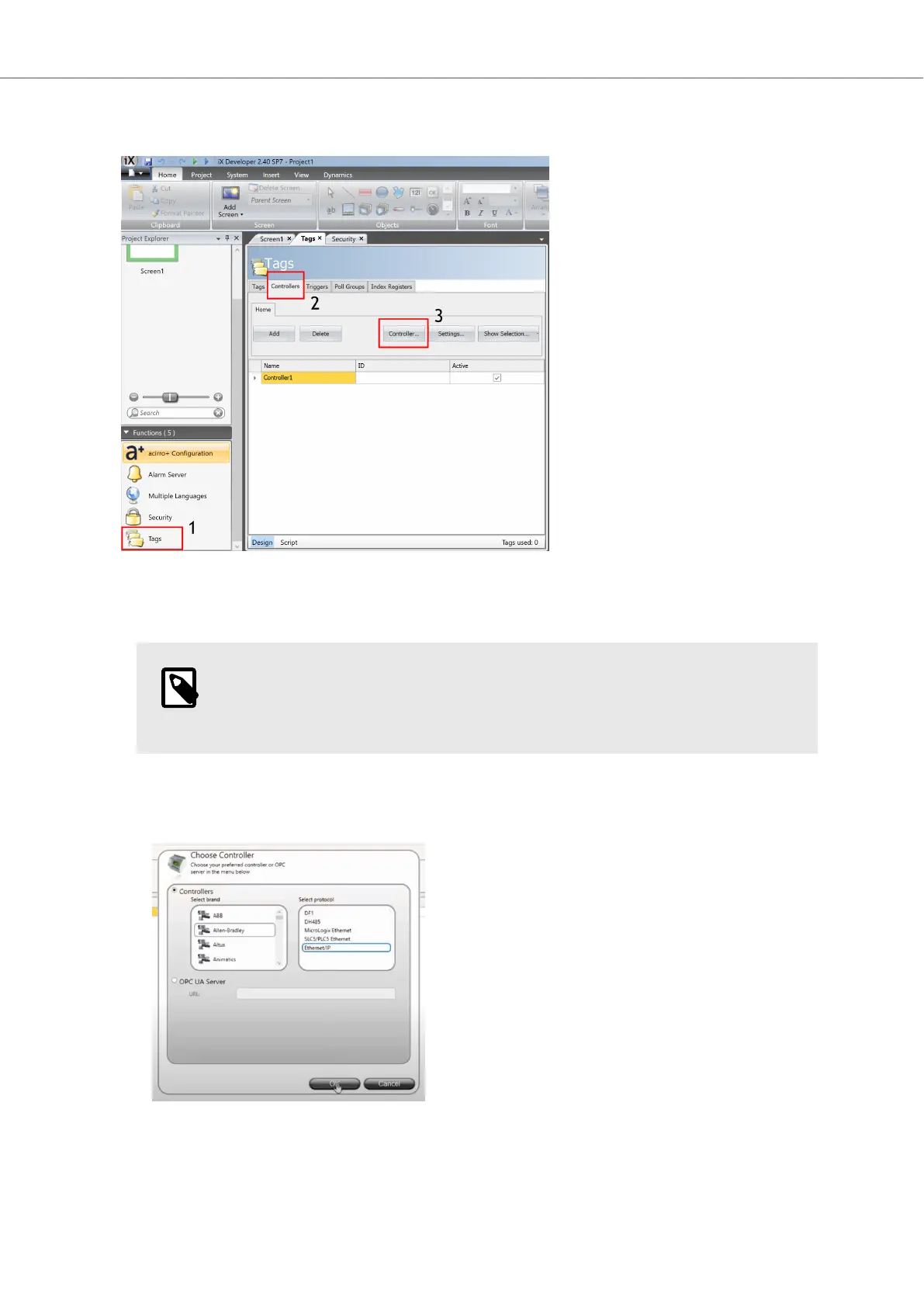
In iX Developer, do the following:
1. Click the Tags icon, (1) in the Project Explorer.
2. Click on the Controllers tab (2).
NOTE
In this example we will add two controllers and exchange data between them
through your BoX2 device.
3. Click on the Controller... button (3).
4. Identify your controller and select it in the Select brand and Select protocol lists. Click OK.
5. Click the Settings... button to configure your controller.
Getting Started and Commonly Used Functions
Beijer Electronics, MAEN363 25 2023-06



 To Next Page