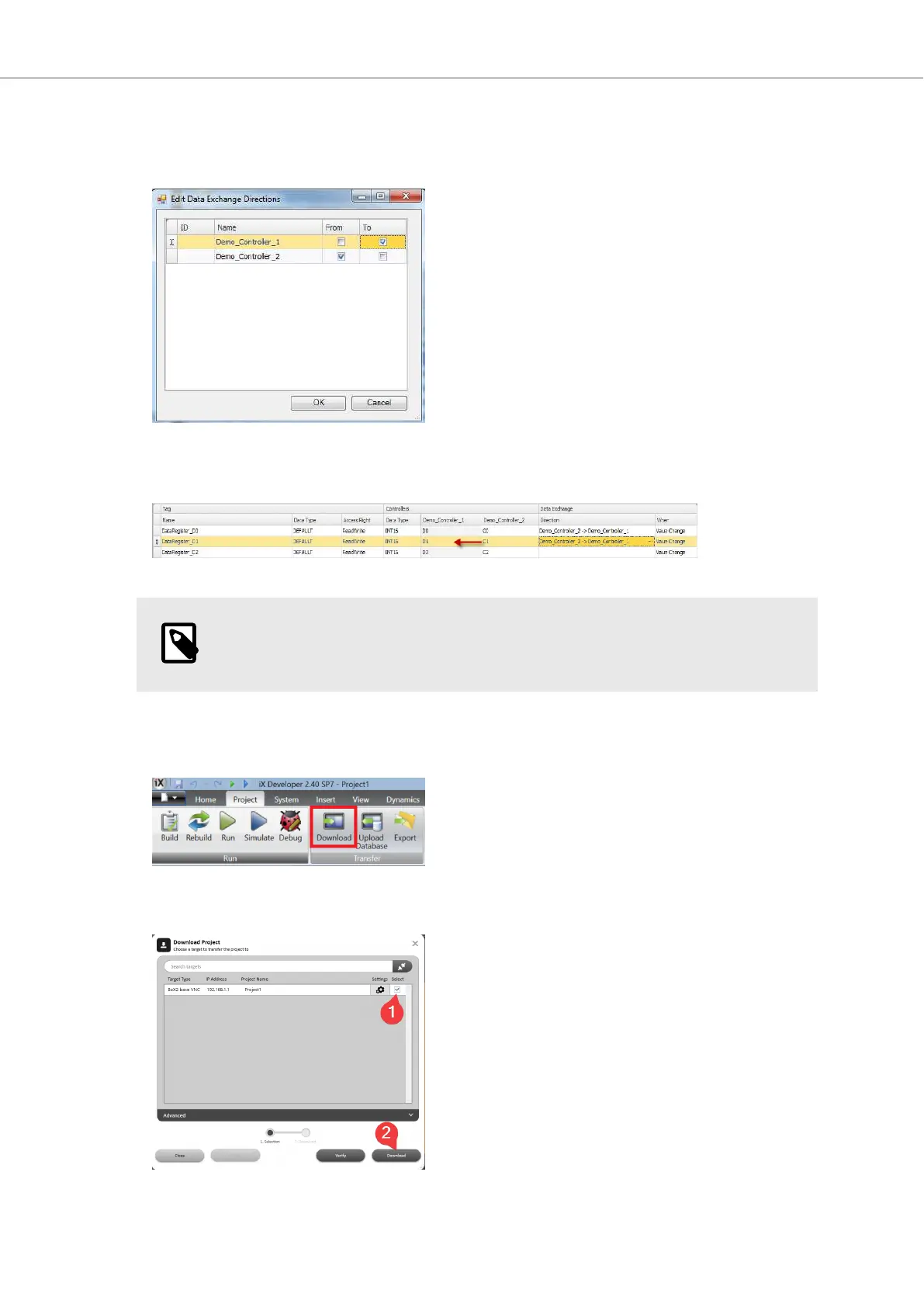
In the following screenshot, data exchange is configured to move the data for the selected
tag from the device configured under the Demo_Controller_2 to the device configured under
Demo_Controller_1.
In this case, it would mean that the value from C1 in Demo_Controller_2 would be copied to D1
in Demo_Controller_1:
NOTE
The direction setting must be configured separately for each tag.
5. When the data exchange is configured, click the Download button under the Project tab in the
Ribbon at the top of the screen.
6. Select (1) your BoX2 device as the target and click Download (2).
Getting Started and Commonly Used Functions
Beijer Electronics, MAEN363 27 2023-06



 To Next Page