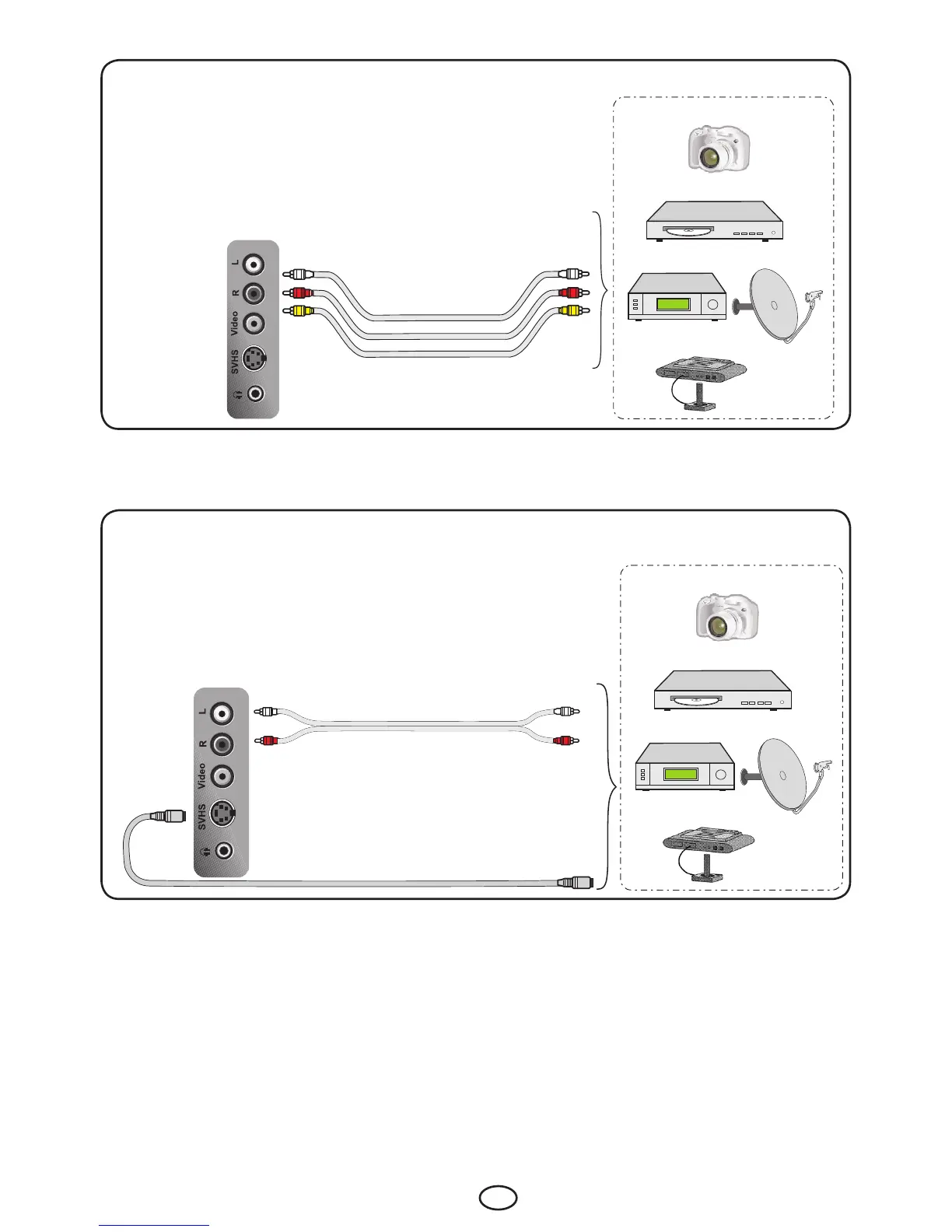
9.2-Connecting an external equipment via AV connection
Side view of the TV
CAMERA
DVD
SATALLITERECEIVER
GAMECONSOLE
AV :TowatchthepictureofthebroadcastdeviceconnectedusingtheRCA(Cinch)input,selectAV2
option from the Source menu and press OK button. Your TV will switch to the selected source.
9.3-Connecting an external device via S-Video connection
Side view of the TV
CAMERA
DVD
SATALLITERECEIVER
GAMECONSOLE
S-Video: To watch the picture of the broadcast device connected using the SVHS input, select S-VHS
option from the Source menu and press OK button. Your TV will switch to the selected source.



 To Next Page