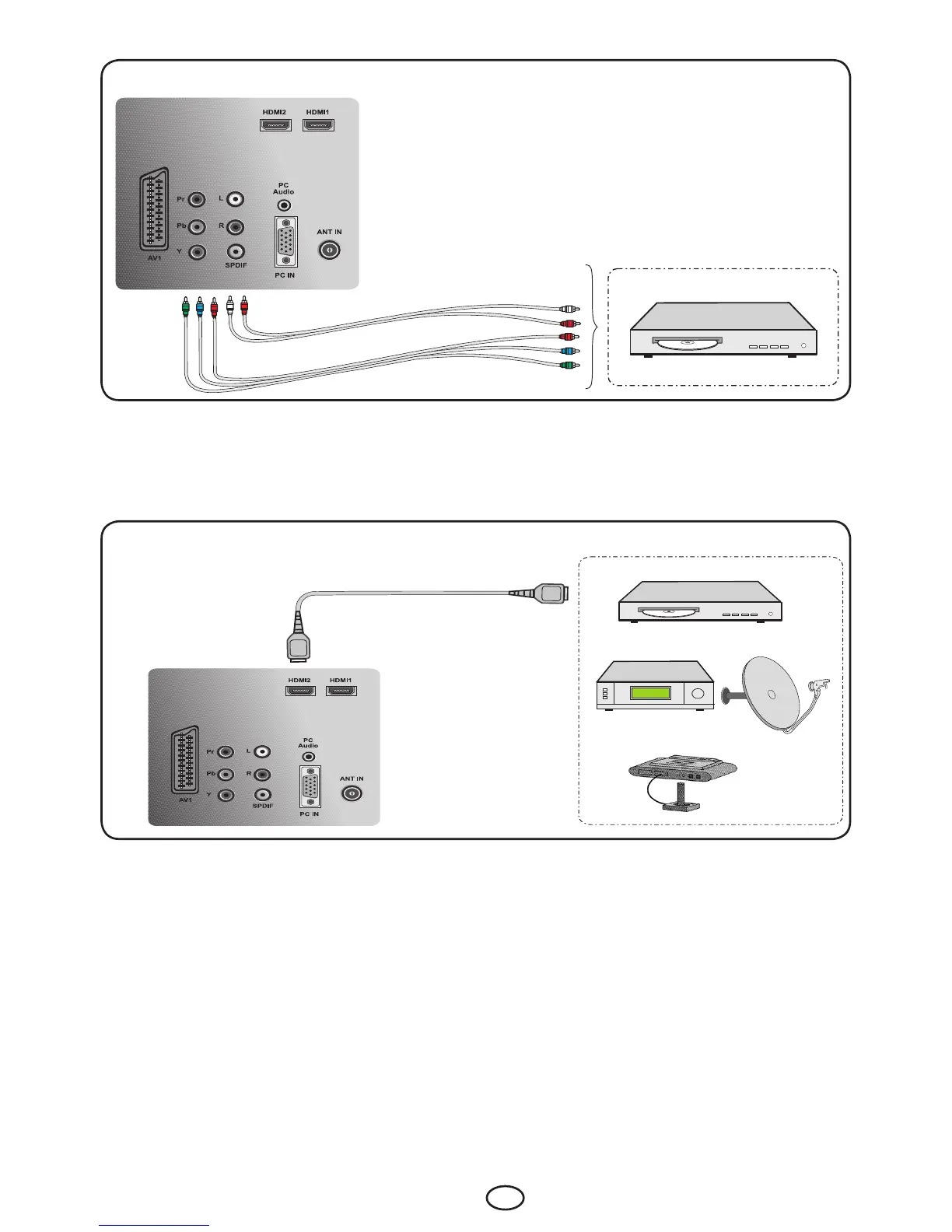
9.4-Connecting an external device via YPBPR connection
Rear view of the TV
DVD
Picture connection
Audio connection
YPBPBR (Component Input): When a connection is made via YPBPR socket, select YPBPR option
from the Source menu and press the OK button to display the picture. Your TV will switch to the
selected source.
Note:Only 16:9, 4:3, 14:9, Letterbox and Subtitle (somedefinitions)aresupportedaspictureformatin
YPBPR mode.
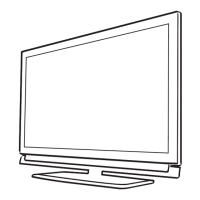
9.5-Connecting an external device via HDMI connection
Side view of the TV
DVD
SATALLITERECEIVER
GAMECONSOLE
HDMI:WhenaconnectionismadeviaHDMIsocket,selecttheHDMI input you connected through from
the Source menu and press the OK button to be able to display these pictures. Your TV will switch to
the selected source.
ConnecttotheHDMIinputatthebackofyourTVbyusingtheconnectorlocatedonyourPCoryour
digitalvideo-transmissiondevicewithasuitablecable(notsuppliedwiththeTV).
Note: TobeabletowatchanimageintheHDMImode,yourcomputermustbeequippedwithaHDMI
graphic card.
You may display the resolution information by pressing the İ button.
9.5.1-HDCP
YourTVsupportsHDCPfeature.Tousethisfeature,youmustsetupaconnectiontoyourTVset’sHDMI
video port and select HDMI by pressing the AV key on your remote control.



 To Next Page