16030_P75445-A_F5D8233-4_V3000_N_RTR_MNL_961008.doc
Page 28 of 108
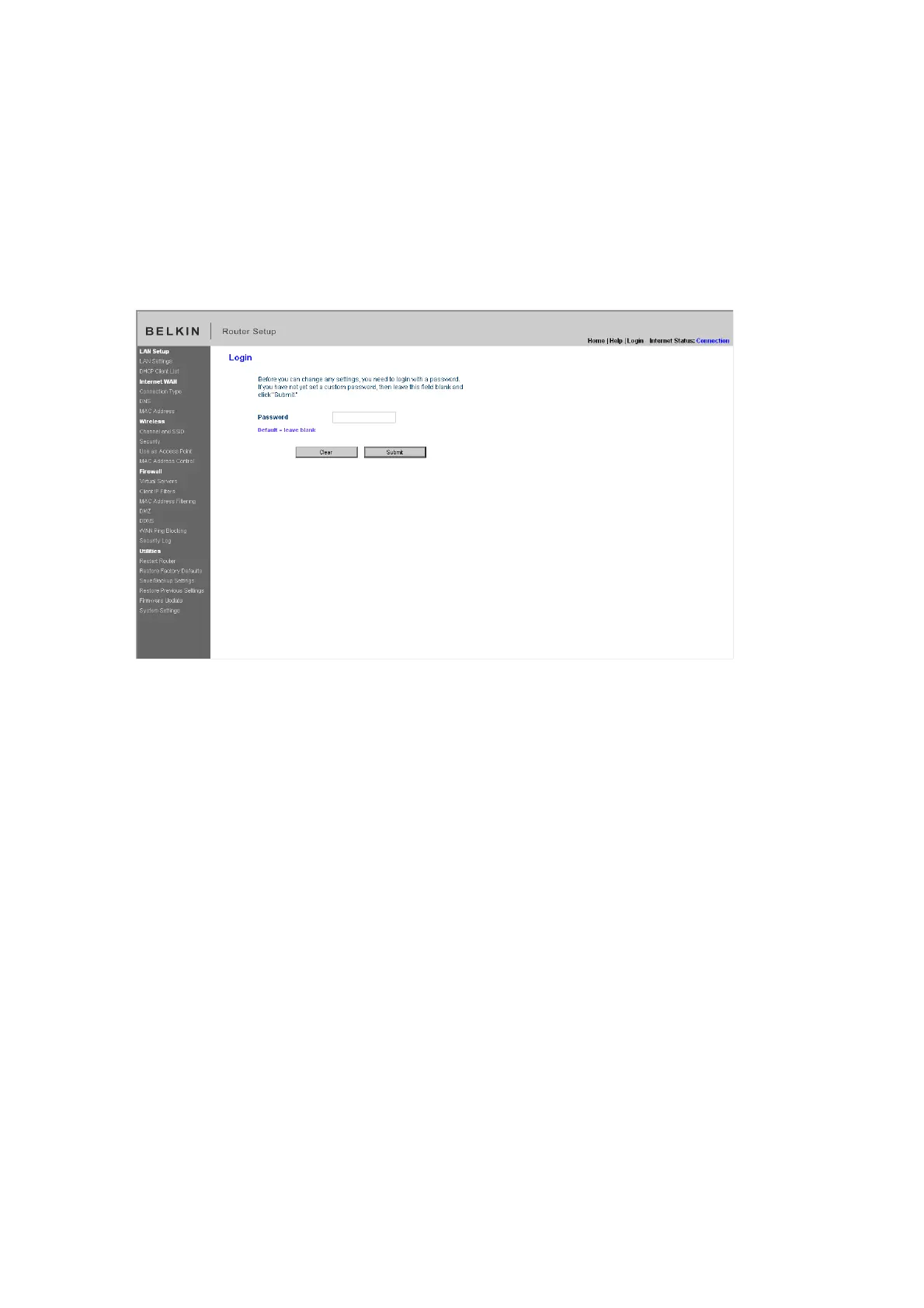
You will see the Router’s home page in your browser window. The home
page is visible to any user who wants to see it. To make any changes to
the Router’s settings, you have to log in. Clicking the “Login” button or
clicking on any one of the links on the home page will take you to the login
screen. The Router ships with no password entered. In the login screen,
leave the password blank and click the “Submit” button to log in.
[insert Login.tif]


 To Next Page