16030_P75445-A_F5D8233-4_V3000_N_RTR_MNL_961008.doc
Page 46 of 108
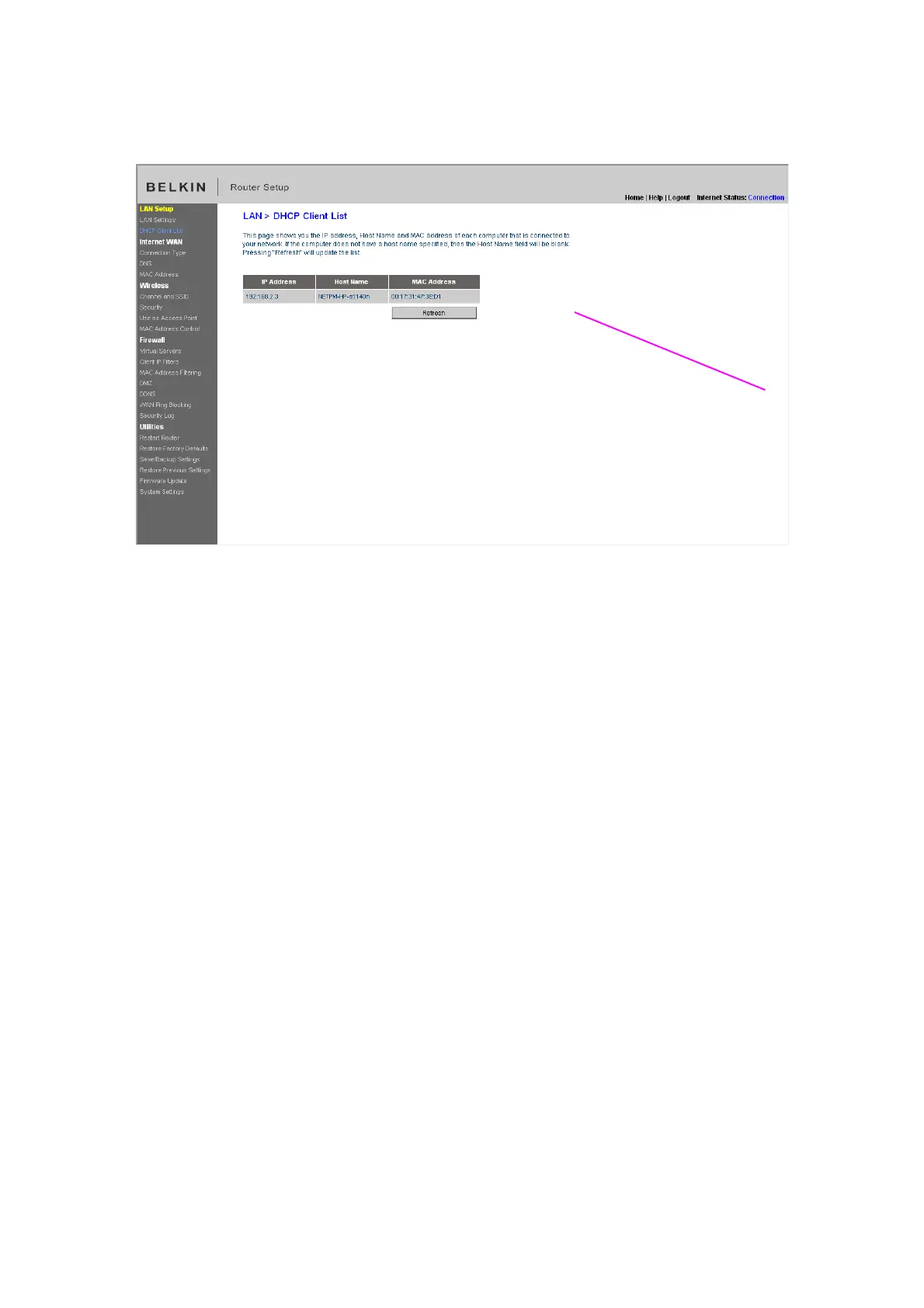
[insert DHCP_Client.tif]
Configuring the Wireless Network Settings
The “Wireless” tab lets you make changes to the wireless network settings. From
this tab you can make changes to the wireless network name or Service Set
Identifier (SSID), operating channel, encryption security settings, and configure
the Router to be used as an access point.
Changing the Wireless Network Name (SSID)
To identify your wireless network, a name called the SSID is used. The SSID is
your network name. The default network name of the Router is “Belkin N
Wireless” followed by six digits that are unique to your Router. Your network
name will look something like “Belkin_N_Wireless_123456”. You can change this
to anything you choose, or you can leave it unchanged. Keep in mind, if you
decide to change your wireless network name, and there are other wireless
networks operating in your area, your network name needs to be different from
other wireless networks that may be operating in your area. To change the SSID,
type in the SSID that you want to use in the SSID field (1) and click “Apply
Changes” (2). The change is immediate. If you make a change to the SSID, your
wireless-equipped computers may also need to be reconfigured to connect to
your new network name. Refer to the documentation of your wireless network
adapter for information on making this change.
(4)


 To Next Page