16030_P75445-A_F5D8233-4_V3000_N_RTR_MNL_961008.doc
Page 65 of 108
[insert WAN_Ping.tif]
To turn off the ping response, select “Block ICMP Ping” (1) and click “Apply
Changes”. The Router will not respond to an ICMP ping.
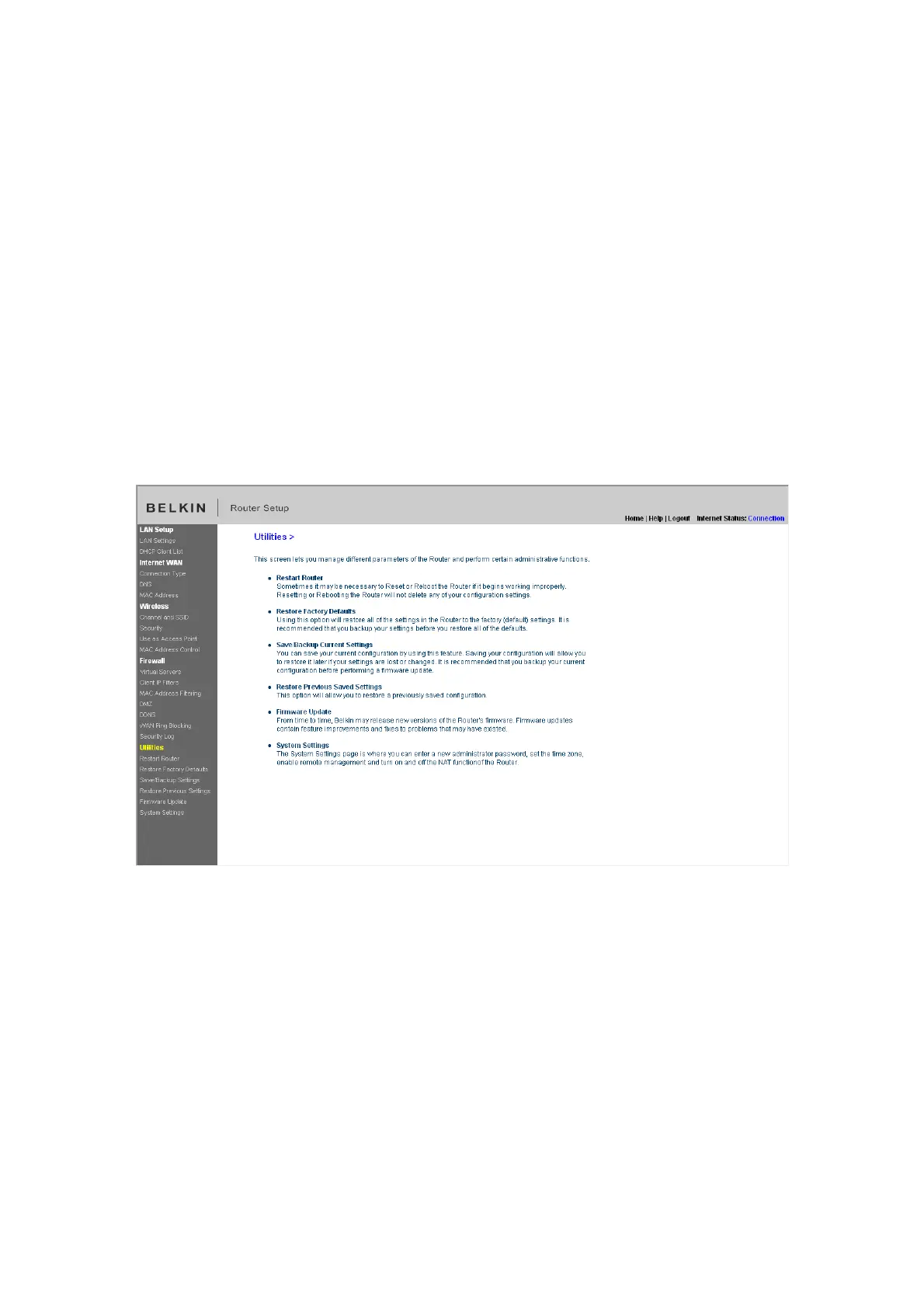
Utilities
The “Utilities” screen lets you manage different parameters of the Router and
perform certain administrative functions.
[insert utilities.tif]
Restarting the Router
Sometimes it may be necessary to restart or reboot the Router if it begins
working improperly. Restarting or rebooting the Router will NOT delete any of
your configuration settings.


 To Next Page