16030_P75445-A_F5D8233-4_V3000_N_RTR_MNL_961008.doc
Page 32 of 108
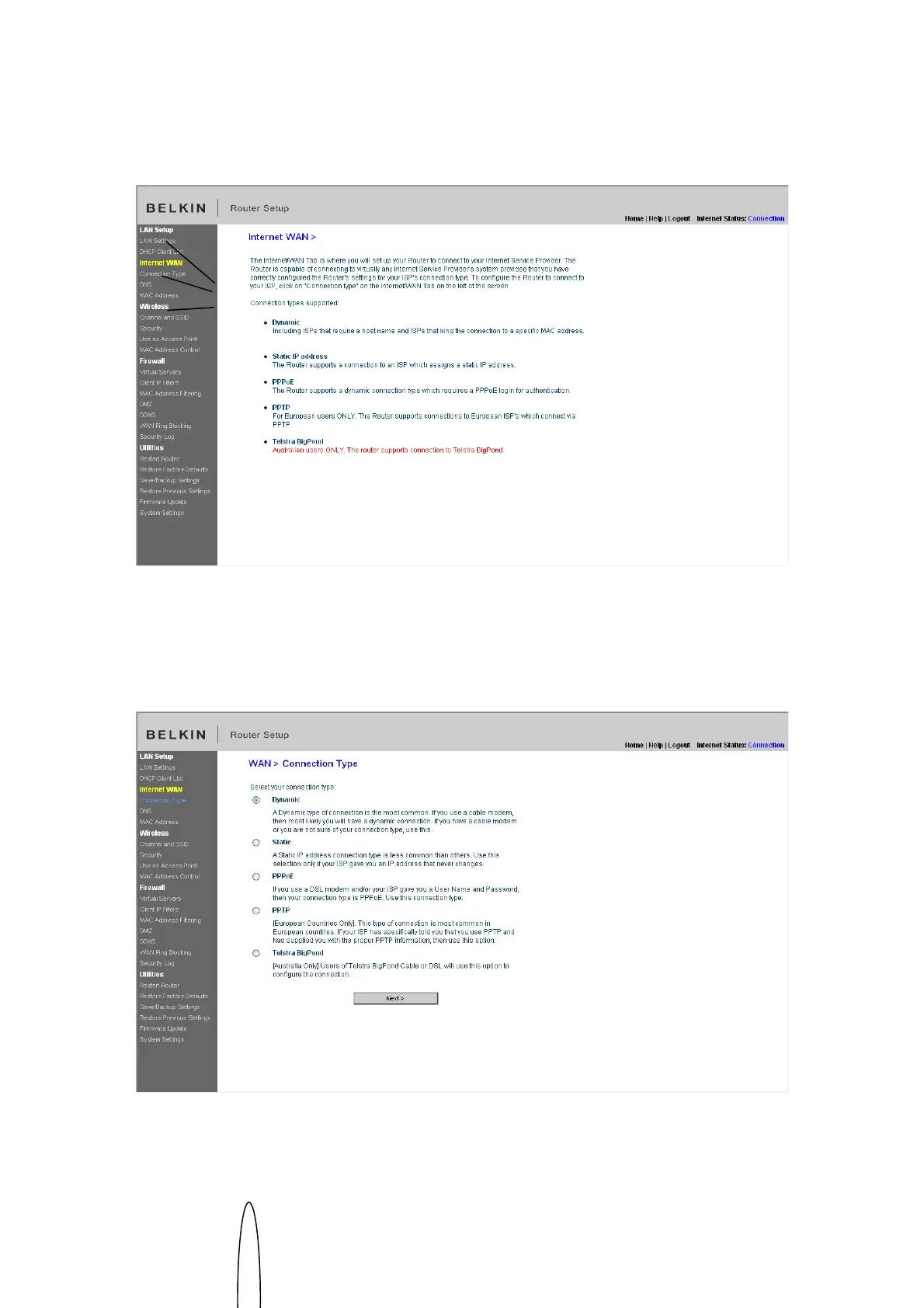
[insert WAN.tif]
Setting your Connection Type
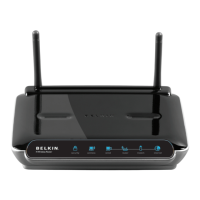
From the “Connection Type” page, you can select the type of connection you use.
Select the type of connection you use by clicking the button (1) next to your
connection type and then clicking “Next” (2).
[insert Connection_Type.tif]
(A)
(B)
(C)


 To Next Page