16030_P75445-A_F5D8233-4_V3000_N_RTR_MNL_961008.doc
Page 48 of 108
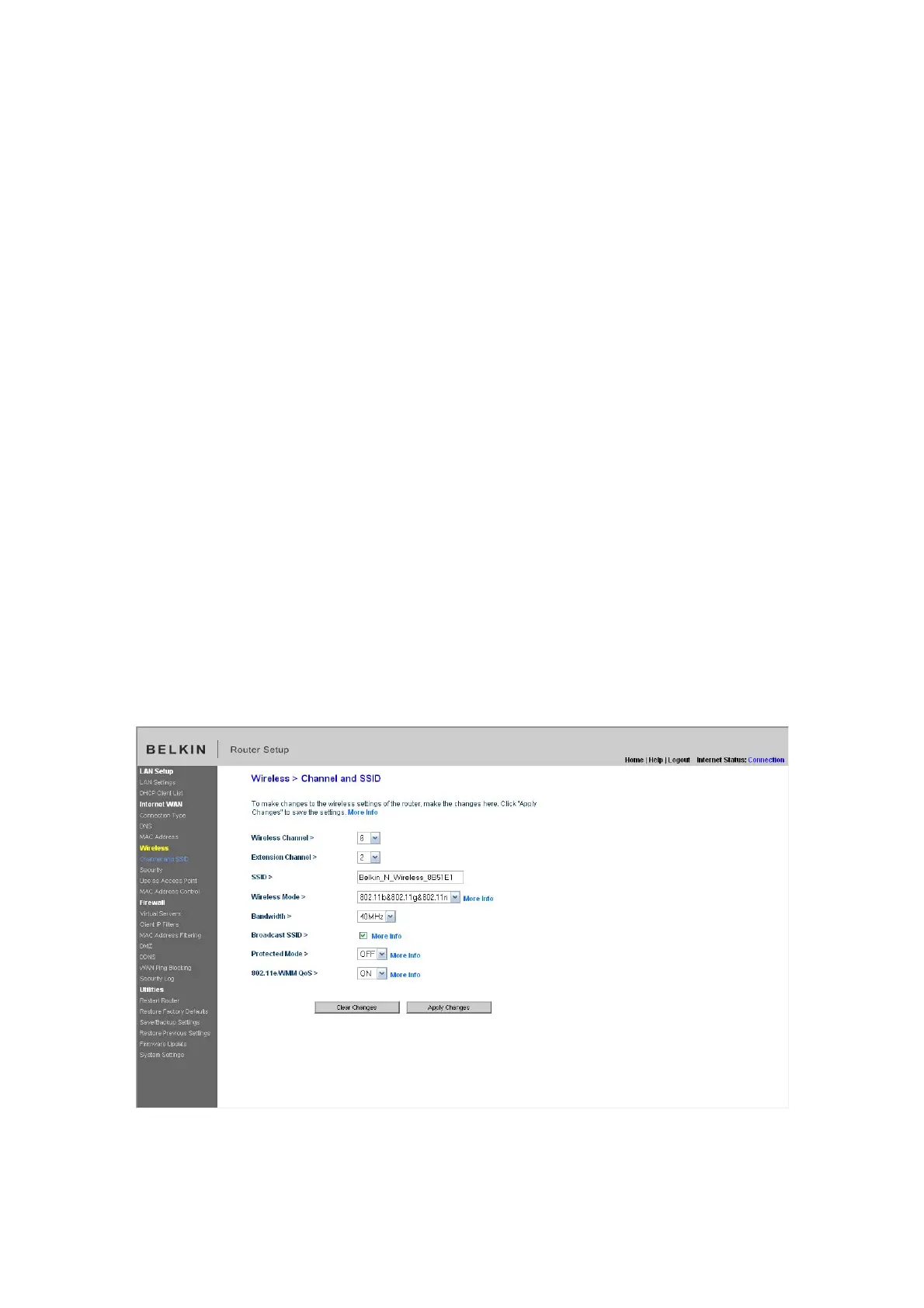
Using the Wireless Mode Switch
This switch allows you to set the Router’s wireless modes. There are several
modes.
Note: Some modes may require firmware updates to be enabled.
1) Off
This mode will turn OFF the Router’s access point, so no wireless devices can
join the network. Turning off the wireless function of your Router is a great way to
secure your network when you are away from home for a long period of time, or
don’t want to use the wireless feature of the Router at a certain time.
2) 802.11g only
Setting the Router to this mode will allow only 802.11g-compliant devices to join
the network, keeping out any slower 802.11b devices.
3) 802.11b+g+n
Setting the Router to this mode will allow 802.11b-, 802.11g-, and 802.11n-
compliant devices to join the network.
4) 802.11n only
Setting the Router to this mode will allow only N/draft 802.11n-compliant devices
to join the network, keeping out 802.11g and 802.11b devices.
[insert Channel and SSID.tif]


 To Next Page