16030_P75445-A_F5D8233-4_V3000_N_RTR_MNL_961008.doc
Page 84 of 108
4. In the “Local Area Connection Properties” window, click “Internet Protocol
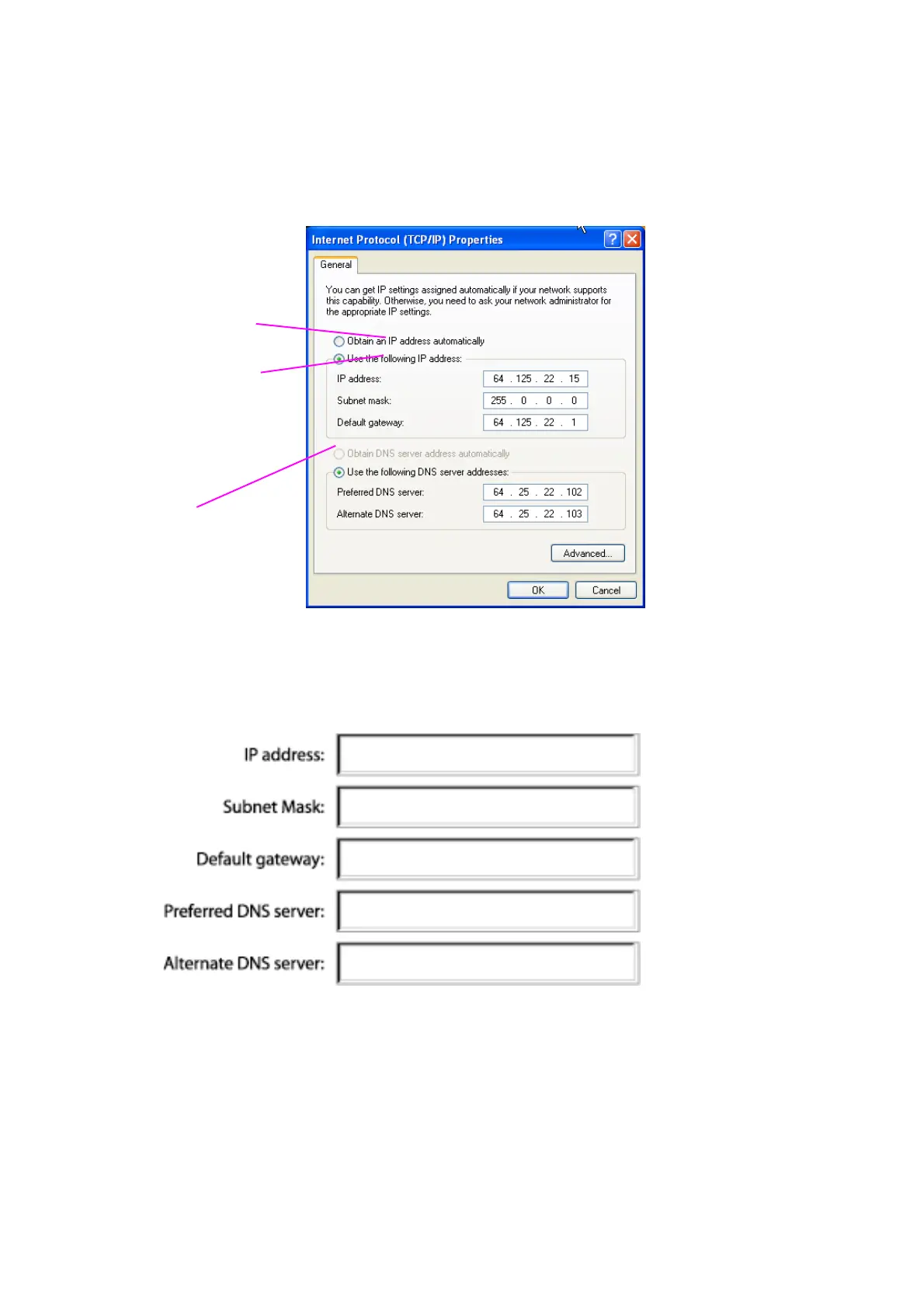
(TCP/IP)” and click the “Properties” button. The following screen will appear:
[XP TCPIP.tif] [use current image] [keep]
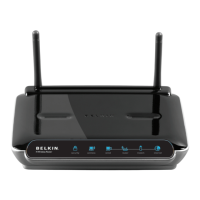
5. If “Use the following IP address” (2) is selected, your Router will need to be
set up for a static IP connection type. Write the address information the table
below. You will need to enter this information into the Router.
[win2k settings chart.tif] [use current image] [keep]
6. If not already selected, select “Obtain an IP address automatically” (1) and
“Obtain DNS server address automatically” (3). Click “OK”.
Your network settings are now configured for use with the Router.
(1)
(2)
(3)



 To Next Page