EasyManua.ls Logo

Bell System bellissimo - BS Videophone Switch Settings; Mute Time Settings (1-4); Individual Functions Settings (5-8); Video Terminator Jumper Setting

Bell System bellissimo
44 pages
Print Icon
To Next Page IconTo Next Page
To Previous Page IconTo Previous Page
Loading...
bell
issimo
2-72 Way Video Entry System
PD-098 Issue 4B Installation and Operating Manual Page 22 of 44
BS Videophone Switch Settings
Mute Time Settings (1-4)
4
3
2
1
Mute Time
On
On
On
On
Disabled¹
On
On
On
Off
2 minutes
On
On
Off
On
5 minutes
On
On
Off
Off
10 minutes
On
Off
On
On
15 minutes
On
Off
On
Off
20 minutes
On
Off
Off
On
30 minutes
On
Off
Off
Off
45 minutes
Off
On
On
On
1 hour
Off
On
On
Off
2 hours
Off
On
Off
On
4 hours
Off
On
Off
Off
5 hours
Off
Off
On
On
6 hours
Off
Off
On
Off
8 hours
Off
Off
Off
On
10 hours
Off
Off
Off
Off
*Indefinite²
*Default setting¹Disabled means touching the mute symbol has no effect.
²Indefinite; the mute is cancelled by touching the symbol again.
Individual Functions Settings (5-8)
SW-5
Master / Extension
Which Videophone to set
*Off
Master
Only or first apartment station per BSC4 output.
On
Extension / Slave
Second and subsequent videophones per BSC4 output.
SW-6
Auto Display on Ring
Videophone display behaviour
*Off
Display during ring
Picture is on while ringing, stays on when answered.
On
No display during ring
Picture is off while ringing, comes on when answered.
SW-7
Spare
Spare
*Off
On
SW-8
Spare
Spare
*Off
On
*Default setting
Video Terminator Jumper Setting
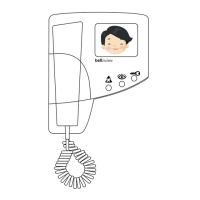
The jumper is situated above the input connector. It is 3 pin and labelled On and Off.
The jumper should be on when there is only one videophone on an individual BSC4
output. Otherwise only the last videophone should have a jumper set to On the rest being
set to Off.

Settings
(QWERGHJK)
OFF ↔ ON
Settings
(ASDFTYUI)
OFF ↔ ON

Other manuals for Bell System bellissimo

Related product manuals