bell
issimo
2-72 Way Video Entry System
PD-098 Issue 4B Installation and Operating Manual Page 24 of 44
BSC4 Video Controller Tests
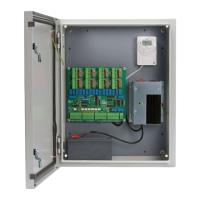
When the system is idle (no calls in progress) pressing the ‘Test’ button activates the
‘Audio On, ‘Status’ and one of the ‘Select n’ LED’s for 3S. If the system is not idle (Version
2 only) pressing the ‘Test’ button will cause a system wide reset.
There are 4 green LED’s which indicate power to the individual phones, on board fuses will
operate if a short exists.
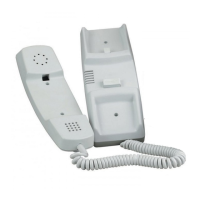
The BSC4 also has 4 ‘phone’ test buttons which can be used to verify the ‘data’
connection to the videophone. Pressing the ‘Test phone n’ button should cause the
videophone and extensions, if any, to ring and the associated ‘Select n’ Led to light.
Picking up the handset or pressing view will cause the ‘Audio On’ and ‘Select n’ LED’s to
light. There will be no audio as no door panel is active. The display on the videophone
will light up to grey or blue unless the video camera is directly wired to the BSC4 input.
Replacing the handset will cause all the LED’s to extinguish. Pressing the lock button
instead of replacing the handset will cause the ‘Status’ LED to light and after 3S all the
LED’s will go off.
If this sequence works repeatedly then the A and B data connections are probably OK.
and the +28V and 0V must also be OK. The test also shows that the BSC4 software is
running and diagnostics can now focus on the door controller to video controller wiring.
If it fails a videophone can be connected locally with a short cable to eliminate the cable
being faulty.
Connections to Lock Release are open or shorted.
Voltage drop due to cable too thin.
Lock current is too high; Power supply is resetting.
Lock release jammed due to over tight fitting.


 To Next Page