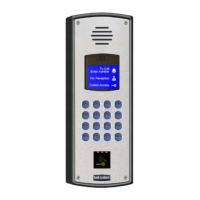
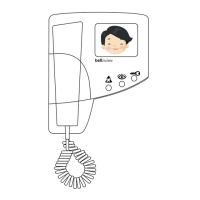
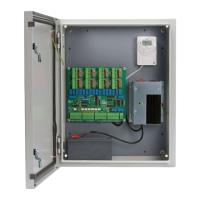
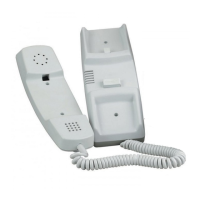
Bell View Video Entry System
22
Miscellaneous Problems
Telephone will not buzz. ! Buzzer disabled by PRIVATE button. Check red
telephone LED is off.
! Faulty ‘V’,'O' or 'I' line between power supply and
phone. Check 10.5V - 15V across ‘V’ and ‘O’, and
10.5V - 15V across ‘I’ and ‘O’ when called.
! Faulty panel button.
Telephone ‘DOOR’ button does not
operate release.
! Telephone has not been called.
! Fault on 'Z' or 'O' line. Check shorting 'Z' or ’TRIG
+’ to 0V at the Switching Unit (2 door) or Lock
Timer (Single door M540/LT88) when live
operates the release.
! Lock release supply low. Check 10V-15V across
the release with the lock button is pressed and the
phone has been called.
! Faulty ‘DOOR’ button on telephone.
Trades, Exit button or Fire Switch
inoperative.
! Time-Clock is not running or incorrectly set
(Trades button only).
!! Single Door systems
Faulty 'Z' or 'O' wires between Lock Timer (LT88 or
M540) and button / switch. Check lock operates
from phone.
!! 2 Door Systems
Faulty wires between EXIT input and button /
switch.Check lock operates from phone.
! Faulty button.
Lock release operates all the time. ! If the lock is a 'fail safe' type it has been connected
to 'FAIL SECR'/'fail secure' output. If the lock is a
'fail secure' type it has been connected to 'FAIL
SAFE' /'fail safe' output. Check to see if the
release is inactive when the lock button is pressed
or try swapping the connections over.
! ‘DOOR’ button stuck down (lock operates only
when called).
! 'Z' and 'O' lines permanently shorted together.
! 'EXIT' input permanently shorted together (2 Door
systems).
Supply voltage low (less than 10V,
any system component).
! Short circuit. Disconnect power supply loads and
check the output is 12V-15V. Systematically
disconnect components one at a time or isolate
floors, etc. until the voltage is correct. Start with
connections close to the Power Supply.
! Cable voltage drop too high. Try doubling wires up
with spare cores. Refer to the Cable and Wiring
Details sections.



 To Next Page