USING THE PROGRAMMER/CLOCK - ELECTRIC ()
The programmer button
ones in the table below. It may also be
either TOUCH control or have buttons.
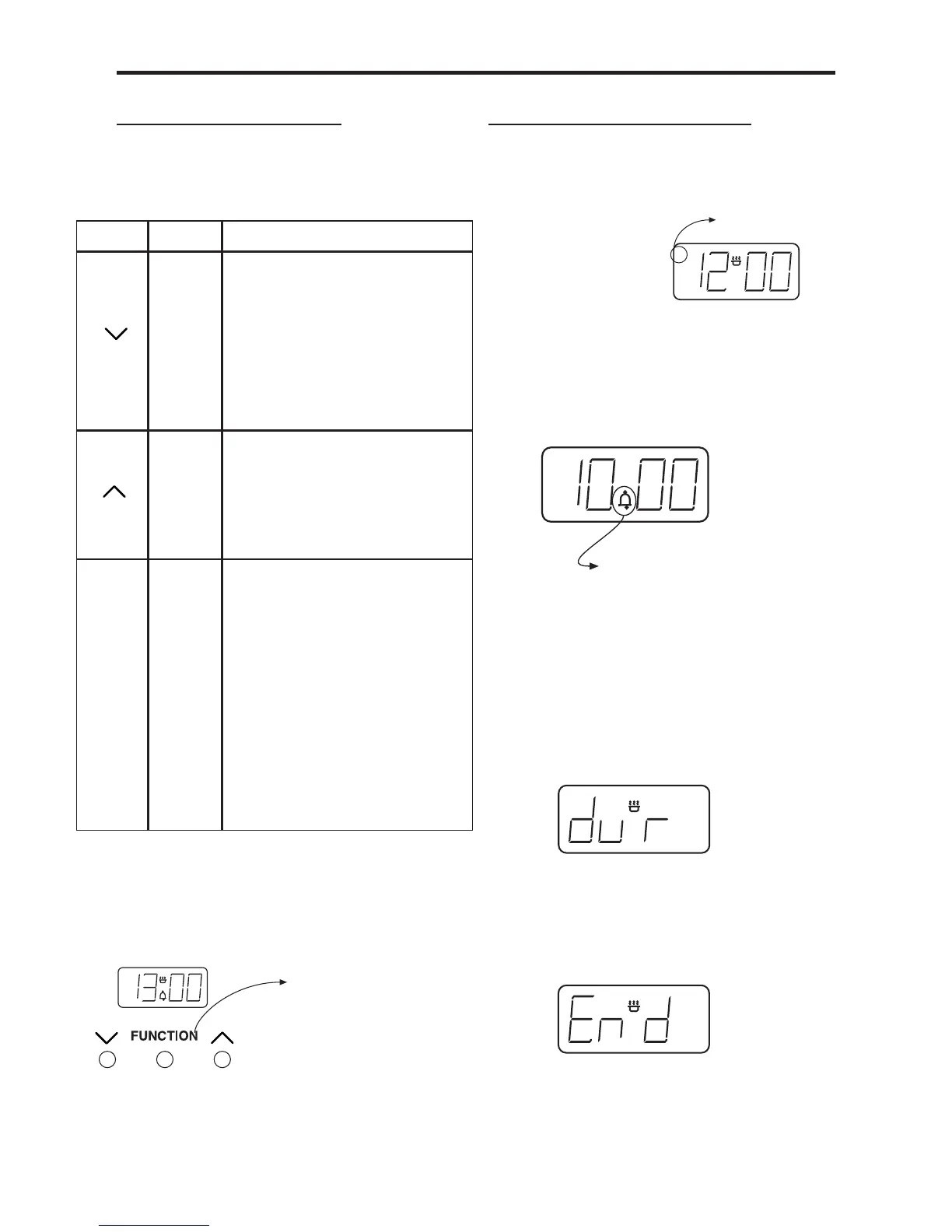
The ‘function’ button in the centre is used
for setting the minute minder and setting
up the automatic cooking. See below for
details.
Symbols on the LED display.
This ‘A’ symbol appears when either
a semi, or fully automatic program is
program is being set.
Once a program is set the symbol will
light up, and remain lit until the alarm
sounds, or the program is cancelled.
This Bell symbol appears when the Minute
Minder function has been selected.
While the Minute Minder is being set, the
time is set, the Bell symbol remains lit
until the time runs down, or the function
is cancelled.
This message and ‘A’ symbol appear
when you are asked to set the length
automatically for.Using the Up and Down
buttons adjusts this accordingly.
This message and ‘A’ symbol appear when
you are asked to enter in an end time, or
when you would like the oven to switch
itself off.
Symbol Symbol
What is it?
-
Down
Used to decrease cook /
end time, remove minutes
from the minute minder and
adjust the time of day. Also
for listening to and setting
the alarm tone.
+
Up
Used to increase cook / end
time, add minutes to the
minute minder and adjust
the time of day.
FUNC-
TION
MODE
Function button
Used to select the functions
available on this timer.
Press once for: Minute
Minder.
time
Press three times for:
End time.
How to use these functions
is explained later on in this
section.
A
Press once : Minute Minder
Press twice : Cook Time
Press three times : End Time
A
Automatic symbol
Minute Minder s



 To Next Page