EasyManua.ls Logo

Belling FSE 54 DO - Setting the Time of Day; Setting the Minute Minder

Belling FSE 54 DO
74 pages
Print Icon
To Next Page IconTo Next Page
To Previous Page IconTo Previous Page
Loading...
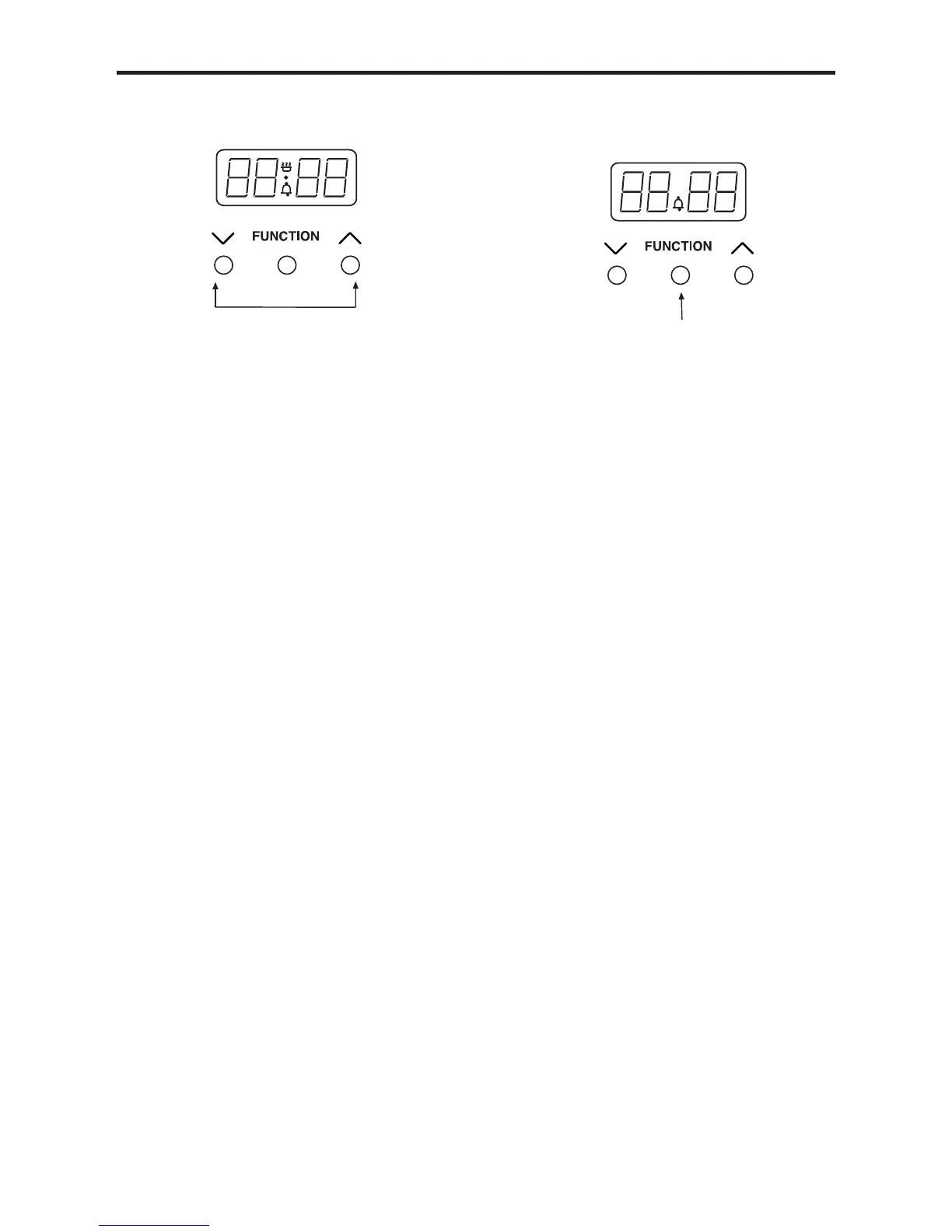
USING THE PROGRAMMER/CLOCK - ELECTRIC ()
To set the time of day
 
together for a few seconds, and
release.
 
’ in between the numbers on

 

to adjust the time using the Up and
Down buttons. Once the time has
been set, allow approximately 30
seconds before using any of the other
timer functions. This ensures that the
time will remain correct.
To select an alarm tone
There are three tones to choose from.
 

 
again to listen to the second tone etc.
 
tone has sounded will automatically
select that tone.
Setting the minute minder
 
Function button once. The bell symbol


the time must be set within this time
frame.
 

has been done, the Minute Minder is
set.
 
counted down the alarm will sound.
 
buttons.
 
time, press the Up and Down buttons
together.
A

Other manuals for Belling FSE 54 DO

Related product manuals