18
Timer Instructions
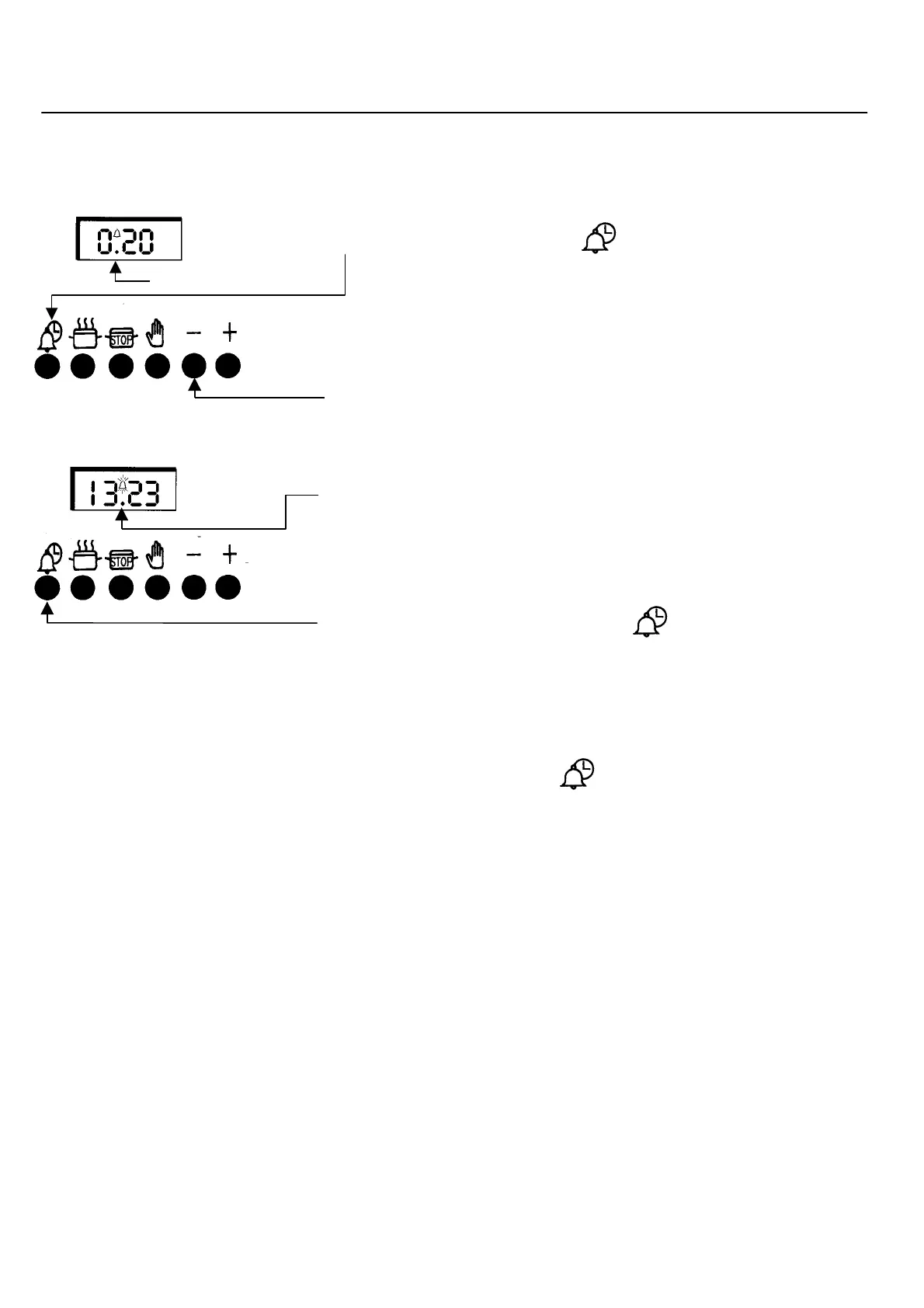
To Set the Minute Minder
Step 1 Ensure the time of day is set correctly
Step 2 Press and release the “ “ button. Within 5 seconds
press and hold the “
+
” button until the required time is set
(A bell symbol will light).
This can be adjusted by pressing the “
-
“ button.
On releasing the buttons the timer will revert back to the time of day.
At the end of the set time a bleeping sound will be heard and the bell
symbol will flash.
This can be cancelled by pressing the “ “.
Note: If necessary the Minute Minder can be cancelled before the tone
sounds by pressing the “ “ button and then press the “
-
“ button
until 0.00 appears in the display window.
Bell symbol



 To Next Page