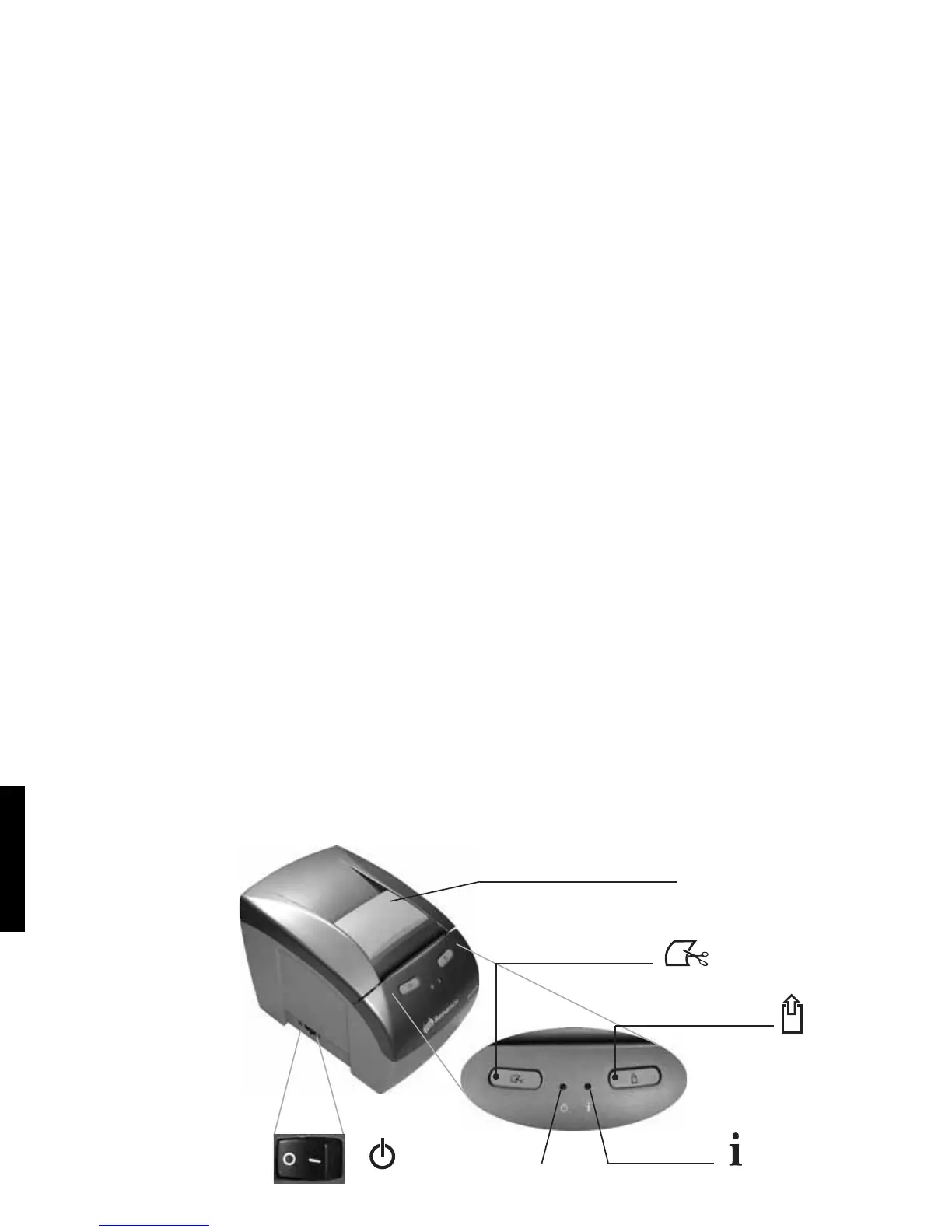
Printer Description
Off / On
Power On LED
Paper
Cut
button
Paper Feed button
Info LED
switch
Cover Opening Lever
LED Indication
During printer operation, 2 LEDs are used to indicate the printer status. In case an error occurs, it
will be indicated through the Info LED. The color and number of blinks of the Info LED will
indicate the type of error. The blinks and the pauses are cyclical.
Info LED
Info
GREEN
Ready
LED Status
Ready to print
Ready to print, but near Paper End
Cover Open
No paper
Thermal printhead overheating, will print slowly,
wait to cool down
Cutter error, to recover open the cover (ERS)
Communication error / command ignored
Please refer to the User's Manual for
troubleshooting
On
Blinking
On
Blinking
2 blinks
3 blinks
4 blinks
Meaning
YELLOW
Recoverable error
RED
Unrecoverable error
Power LED
LED Status Meaning
Printer switched off
Printer switched on
(Power Supply OK)
Off
On
6
ENGLISH



 To Next Page