Installing
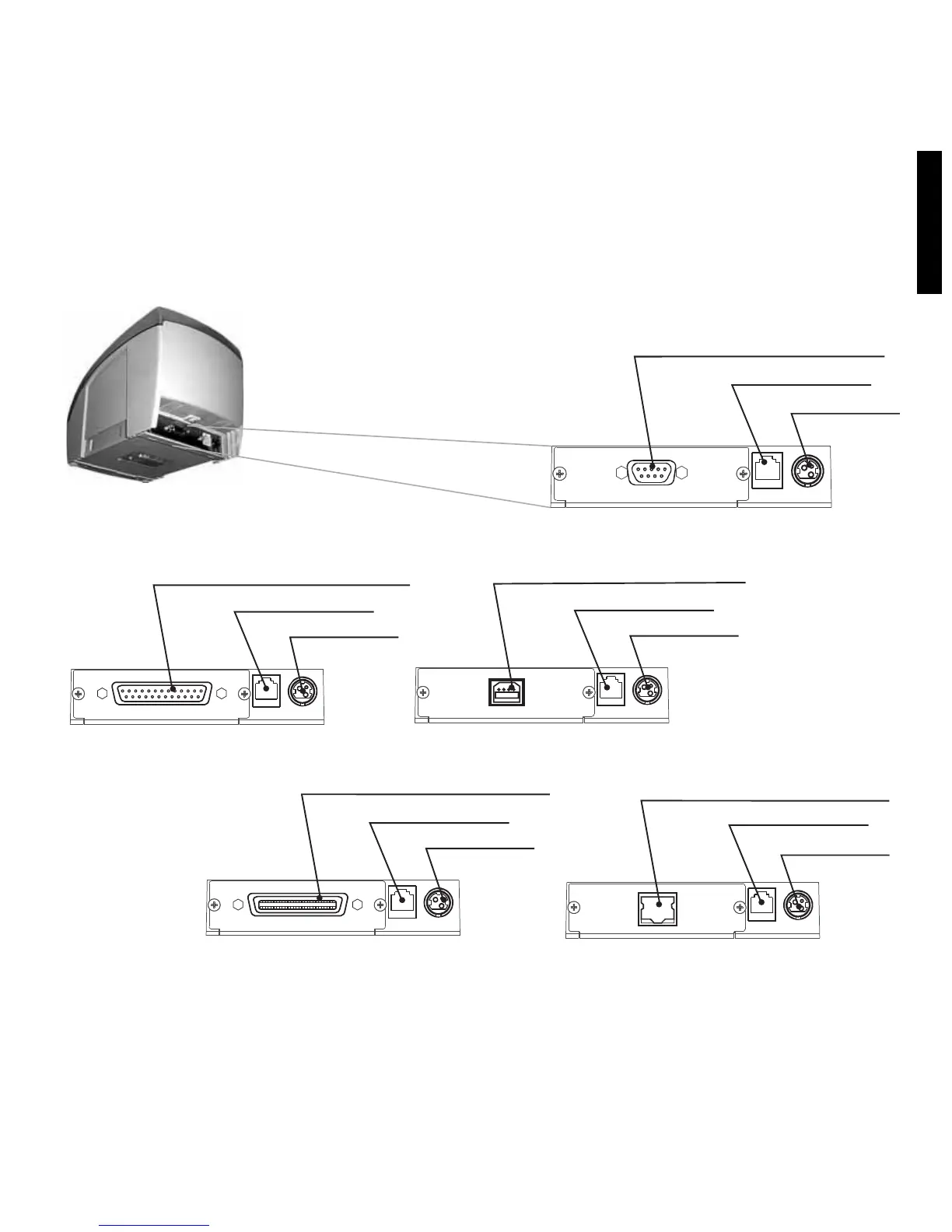
Connect the DC cable of the power supply to the DC connector of the printer as shown below –
note that the arrow in the DC connector must be facing up.
Connect the communication cable to the printer and to the host system (i.e. a PC or other terminal).
To Ethernet interface installation, please consult the User's Manual available at www.bematech.com
DC Connector
Drawer Connector
Communication Port Connector
Serial DB-9
DC Connector
Drawer Connector
Communication Port Connector
USB
DC Connector
Drawer Connector
Communication Port Connector
Bi-directional parallel
DC Con nector
Drawer Connector
Communication Port Connector
Ethernet
7
ENGLISH
DC Connector
Drawer Connector
Communication Port Connector
Serial DB-25



 To Next Page