Editing Option with a Computer
We’ll start by downloading any changes you have
already made to this machine. This way you are not
starting from scratch.
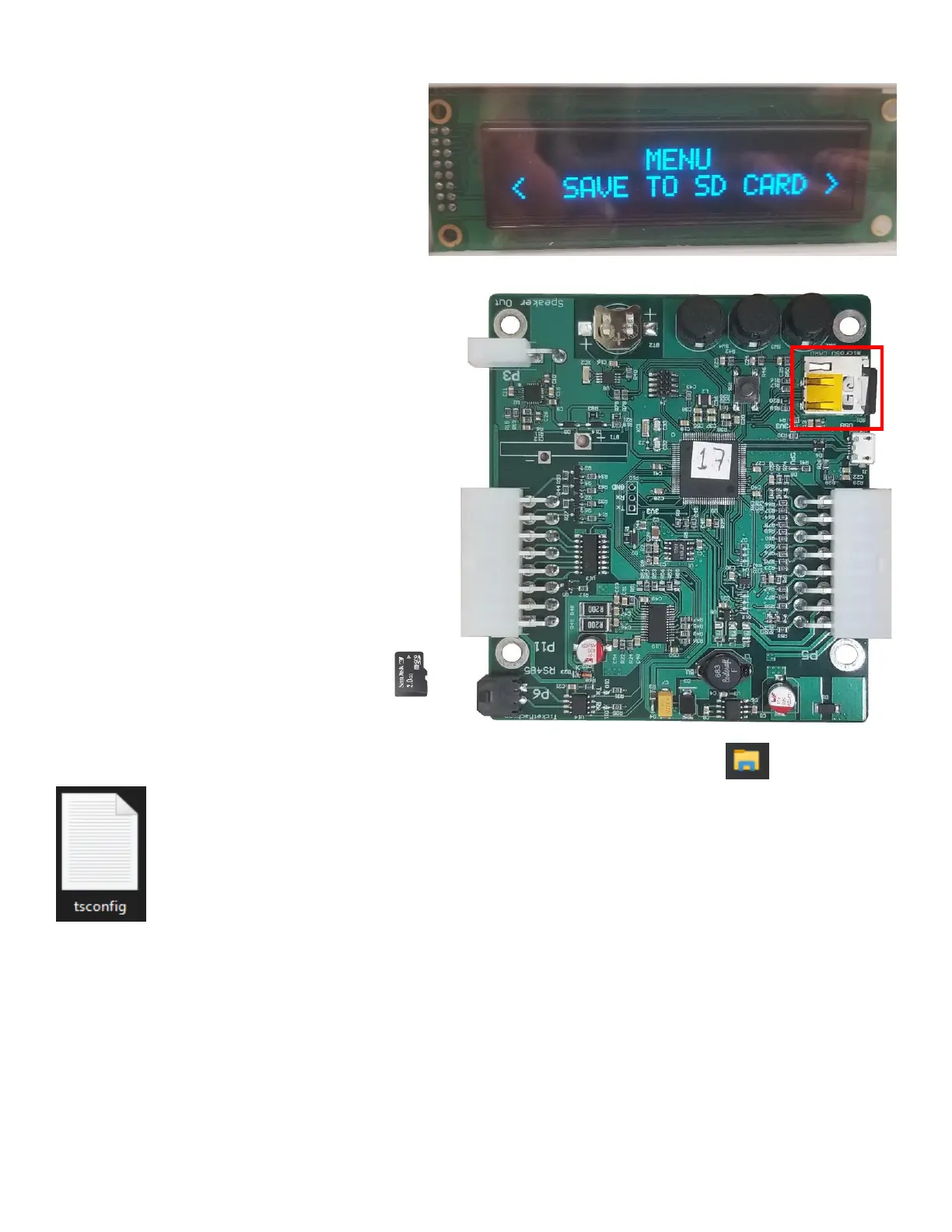
Enter the programming options and scroll though
the menu until you reach the option for “Save to
SD Card”. This will save any setting you may have
already changed to the SD Card on the main
control board.
Once done turn off Ticket Station. Once completely
powered off take out the Micro SD Card located next to
the programming buttons.
Now that the micro SD card is out you are ready to plug
it into your computer. If you do not have a micro SD
slot you may need to have a memory card reader to
plug into a USB port.
When SD card is plugged if you use Windows to find it open “File Explorer” from the task bar.
Find the External Memory Card plugged in and open it. Once in look for a Notepad file titled “tsconfig”,
this is the file you will be editing.
(Note: DO NOT CHANGE FILE NAME!)


 To Next Page