Entering Programing Mode:
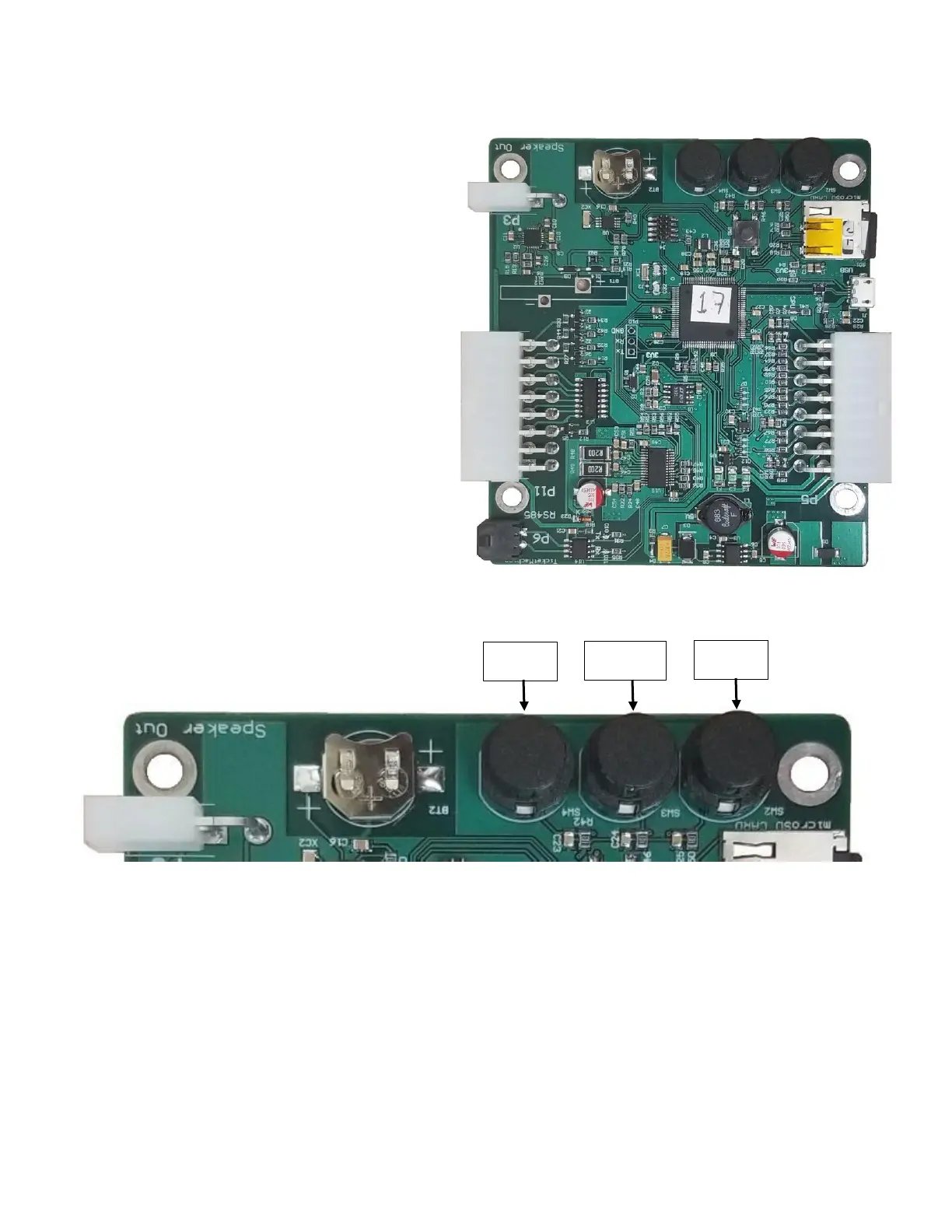
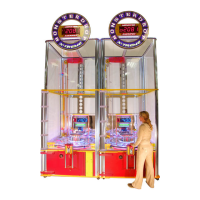
There are three large buttons on the main CPU board
of each door, referred to as 'Back', 'Enter', and 'Next'
(left, center, right respectively).
These are used to enter the setting options for each
redemption door.
To enter programing mode, locate the Ticket Station
Control Board on each door.
Press the center button and hold for 2 seconds. The
machine will audibly announce “Entering Program
Mode”.
To scroll between options, use the left and right
outside buttons. To enter and exit an option press the
center button.
See Programming Options on Next page.


 To Next Page