Add Logo:
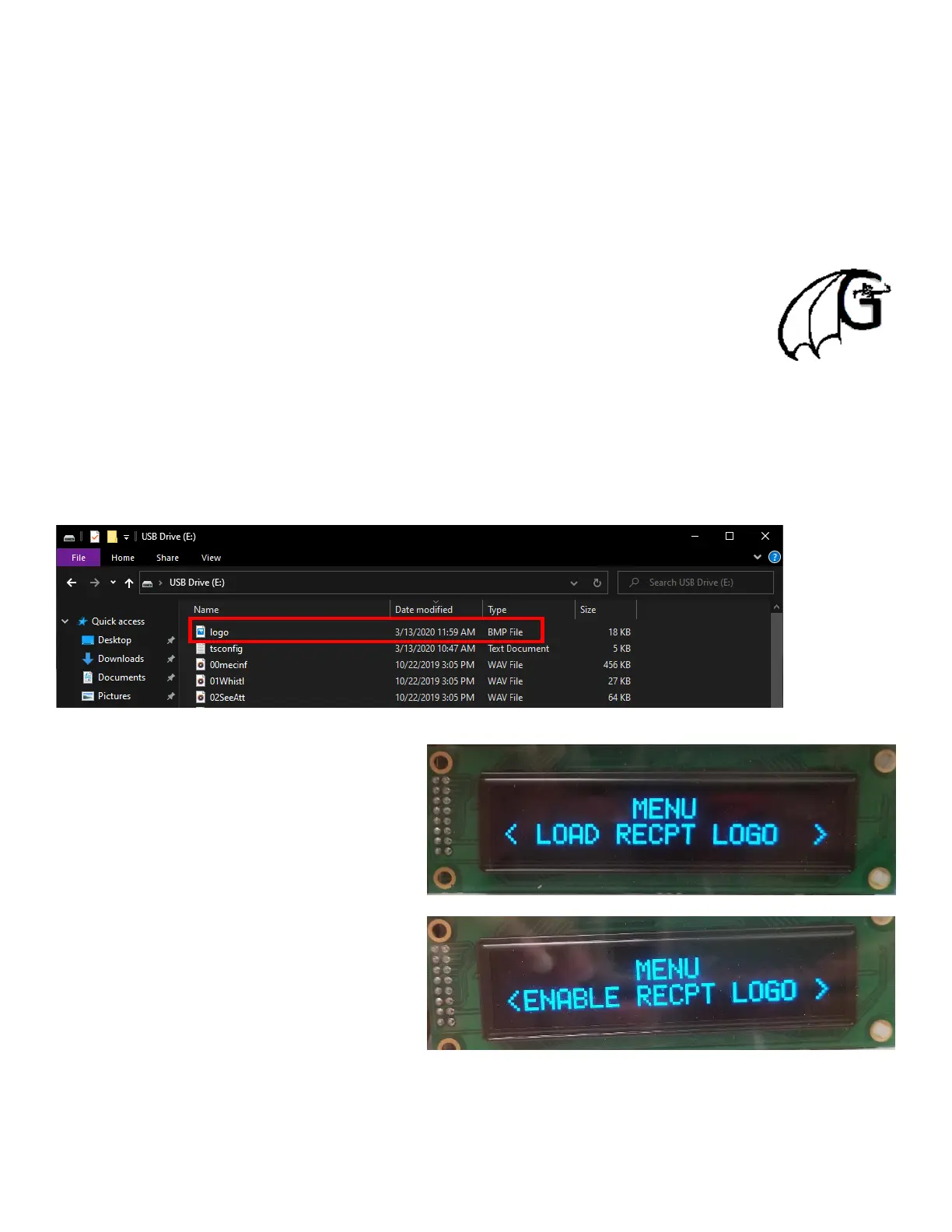
To add your very own logo there are a few requirements the logo must meet.
Requirements
Size – 128 x 128 – 320 x 320 (Pixels)
Name – Logo
File Type - .bmp
The logo we are using for this demonstration is 128 x 128.
Its name is “logo” and its file type is .bmp.
Open the SD Card to find that an image file named “logo” may already exist. Replace the image with the one you want.
(Note: Only one logo can be active at any given time.)
Now we are ready to install the SD card back into machine.
Enter programing menu and scroll until the screen
reads “Load Recpt Logo”, if all criteria is met it will
send the file to be stored in the printers memory
bank.
Now all that is left to do if enable the logo to be
displayed on the receipt. Scroll through the menu
option until “Enable Recpt Logo” is displayed.
Select to turn it on.


 To Next Page