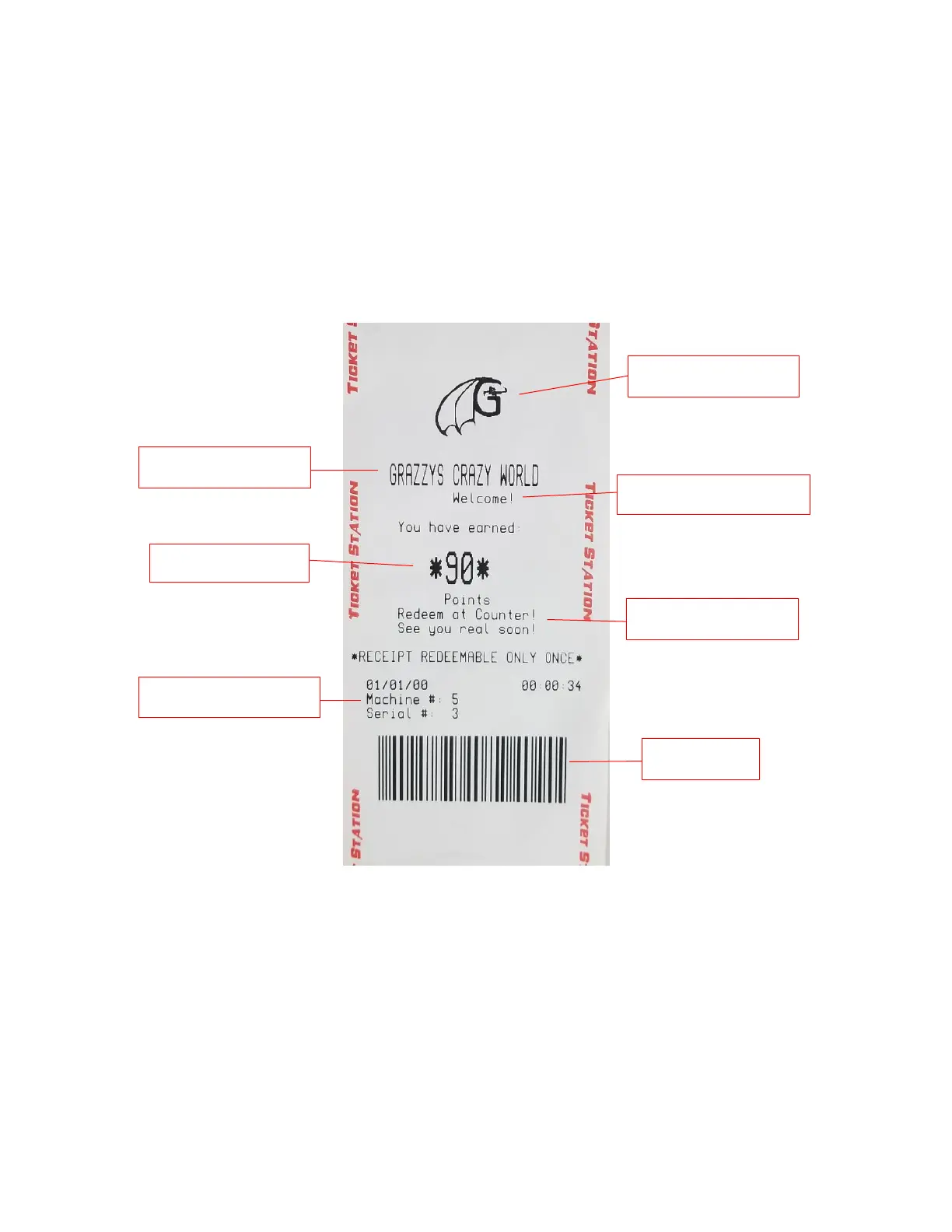
When done your receipt should look like the image below. The logo will always appear at the top of the printed receipt.
Locate power cord shipped in bag. Connect cord to power input on the game. Plug cord into the wall. Toggle power
switch to power game on.
- Run through the ‘Programming Mode’ options and define your desired settings, like credits settings, sound Volumes,
etc. (See Programming Options Section for defaults and further instructions).


 To Next Page