21
To Start
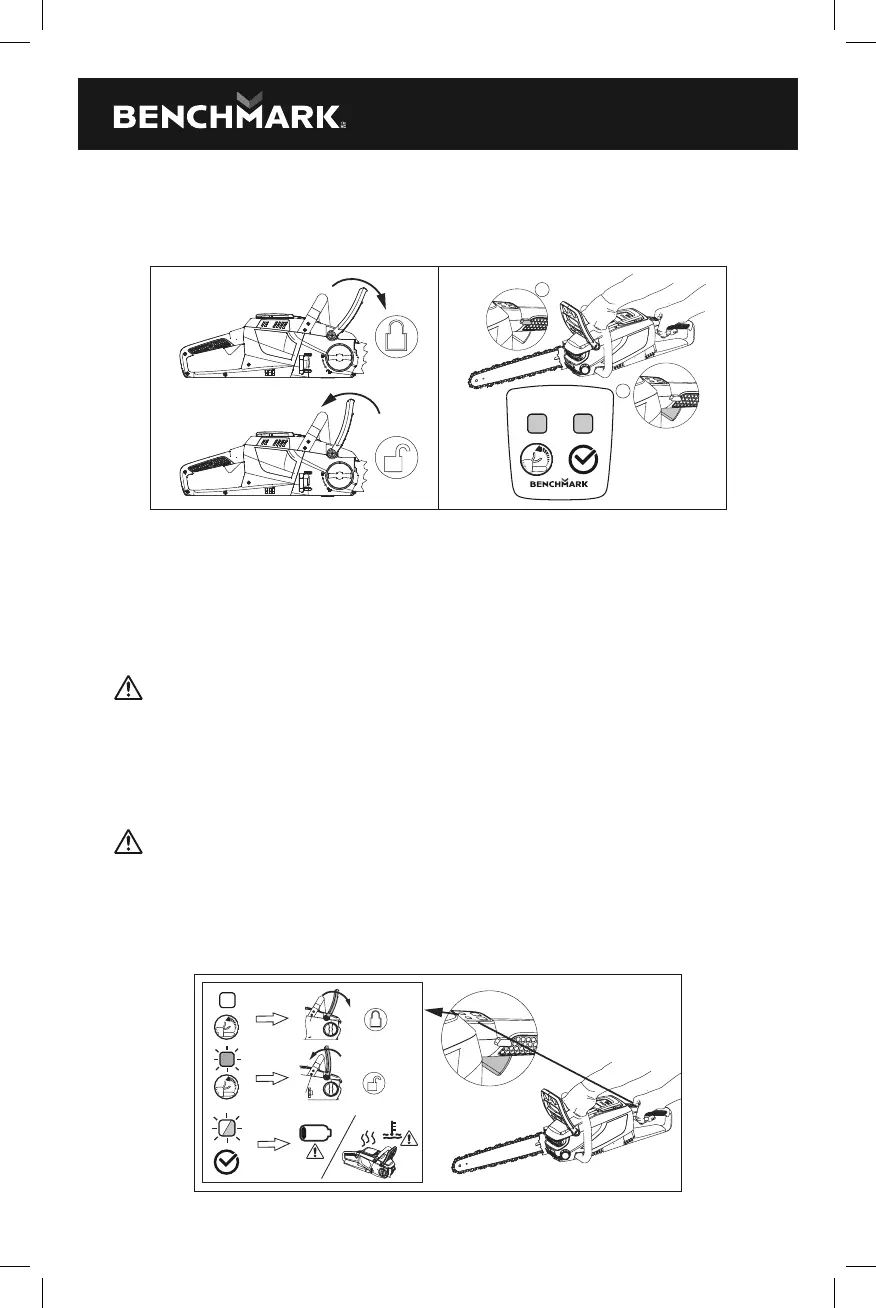
1. Pull the chain kickback brake handle towards the front handle to the operating
position (Fig. 21).
TM
MC
1
2
FIG. 21 FIG. 22
2. Grasp the front and rear handles firmly, using both hands.
3. Press down the lock-o button first , then squeeze the trigger switch to start
(Fig. 22).
Release the locko button and continue to squeeze the trigger for continued
operation.
WARNING: Do not attempt to start the saw when the saw chain is in a cut.
To Stop
1. Release the trigger switch.
2. Push the chain kickback brake handle forward to the brake position to engage
the chain brake (Fig. 21).
WARNING: Always remove the battery pack from the chainsaw during work
breaks and after finishing work.
Indicator panel
The indicator panel will be light ON while you squeeze the trigger switch. Status
meaning as shown in (Fig. 23).
FIG. 23



 To Next Page