A
wa
point
at
the outer marker
Jhile being vectored from the
holding pattern to the Outer Compass
Locator or LOM for the Tulsa Interna-
tional approach, you can use the KNS
81
to
tell you where you are at all times.
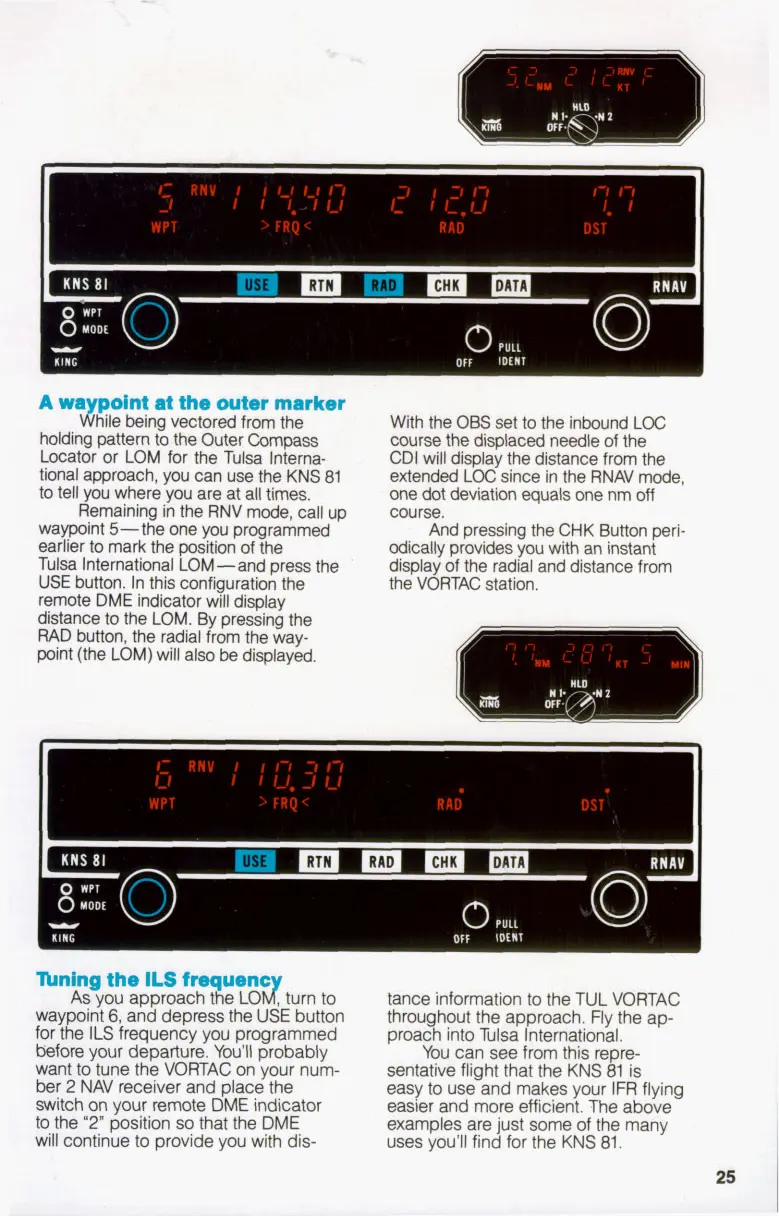
Remaining in the RNV mode, call up
waypoint 5-the one you programmed
earlier to mark the position
of
the
Tulsa International LOM-and press the
USE
button. In this configuration the
remote DME indicator will display
distance
to
the LOM. By pressing the
RAD button, the radial from the way-
point (the LOM) will also be displayed.
With the
OBS
set
to
the inbound LOC
course the displaced needle
of
the
CDI will display the distance from the
extended
LOC
since in the RNAV mode,
one
dot
deviation equals one nm
off
course.
And pressing the CHK Button peri-
odically provides you with an instant
display
of
the radial and distance from
the VORTAC station.
n
Thing the
ILS
frequenc
As you approach the LOJ turn
to
waypoint
6,
and depress the USE button
for the
ILS
frequency you programmed
before
your departure. You'll probably
want
to
tune the VORTAC on your num-
ber
2
NAV receiver and place the
switch on your remote DME indicator
to
the
"2"
position
so
that the DME
will continue
to
provide you with dis-
tance information
to
the TUL VORTAC
throughout the approach. Fly the ap-
proach into Tulsa International.
You can see from this repre-
sentative flight that the KNS 81 is
easy
to
use and makes your IFR flying
easier and more efficient. The above
examples are just some of the many
uses you'll find for the KNS
81.
25


 To Next Page