I,
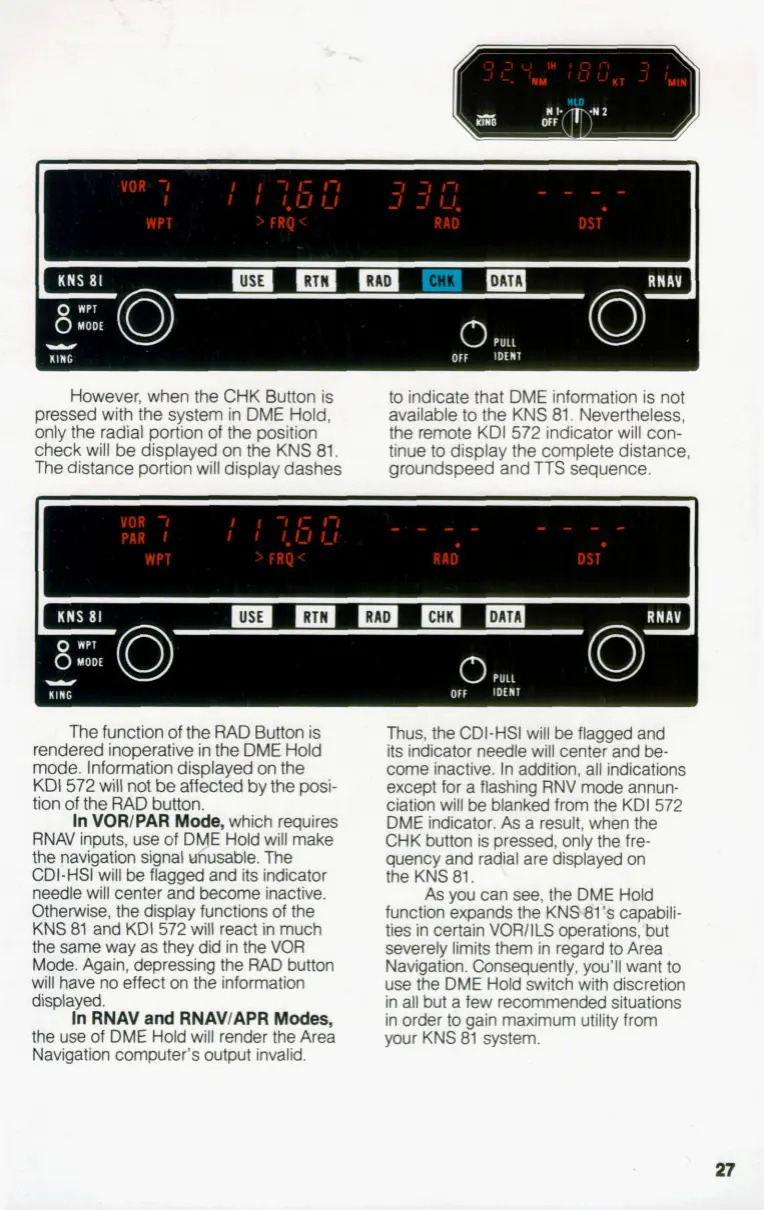
However, when the CHK Button is
pressed with the system in DME Hold,
only the radial portion of the position
check will be displayed on the KNS 81.
The distance portion will display dashes
to
indicate that DME information is not
available to the KNS 81. Nevertheless,
the remote KDI 572 indicator
will
con-
tinue
to
display the complete distance,
groundspeed and TTS sequence.
The function
of
the RAD Button is
rendered inoperative in the
DME
Hold
mode. Information displayed on the
KDI
572 will not be affected bv the
msi-
.I
tion
of
the RAD button.
In
VORlPAR
Mode.
which reauires
RNAV inputs, use of DME'Hold will make
the navigation signal dusable. The
CDI-HSI will
be
flagged and its indicator
needle will center and become inactive.
Otherwise, the display functions of the
KNS 81 and KDI
572
will react in much
the same way as they did in the
VOR
Mode. Again, depressing the RAD button
will have no effect on the information
displayed.
In
RNAV
and
RNAVIAPR
Modes,
the use of DME Hold will render the Area
Navigation computer's output invalid.
Thus, the CDI-HSI will
be
flagged and
its
indicator needle will center and be-
come inactive. In addition, all indications
except for a flashing
RNV
mode annun-
ciation will be blanked from the KDI 572
DME indicator.
As
a result, when the
CHK button is pressed, only the. fre-
quency and radial are displayed on
the KNS 81.
As
you can see, the DME Hold
function expands the KNW1% capabili-
ties in certain
VORllLS
operations,'but
severely limits them in regard
to
Area
Navigation. Consequently, you'll want
to
use the DME Hold switch with discretion
in all but a few recommended situations
in order
to
gain maximum utility from
your KNS 81 system.


 To Next Page