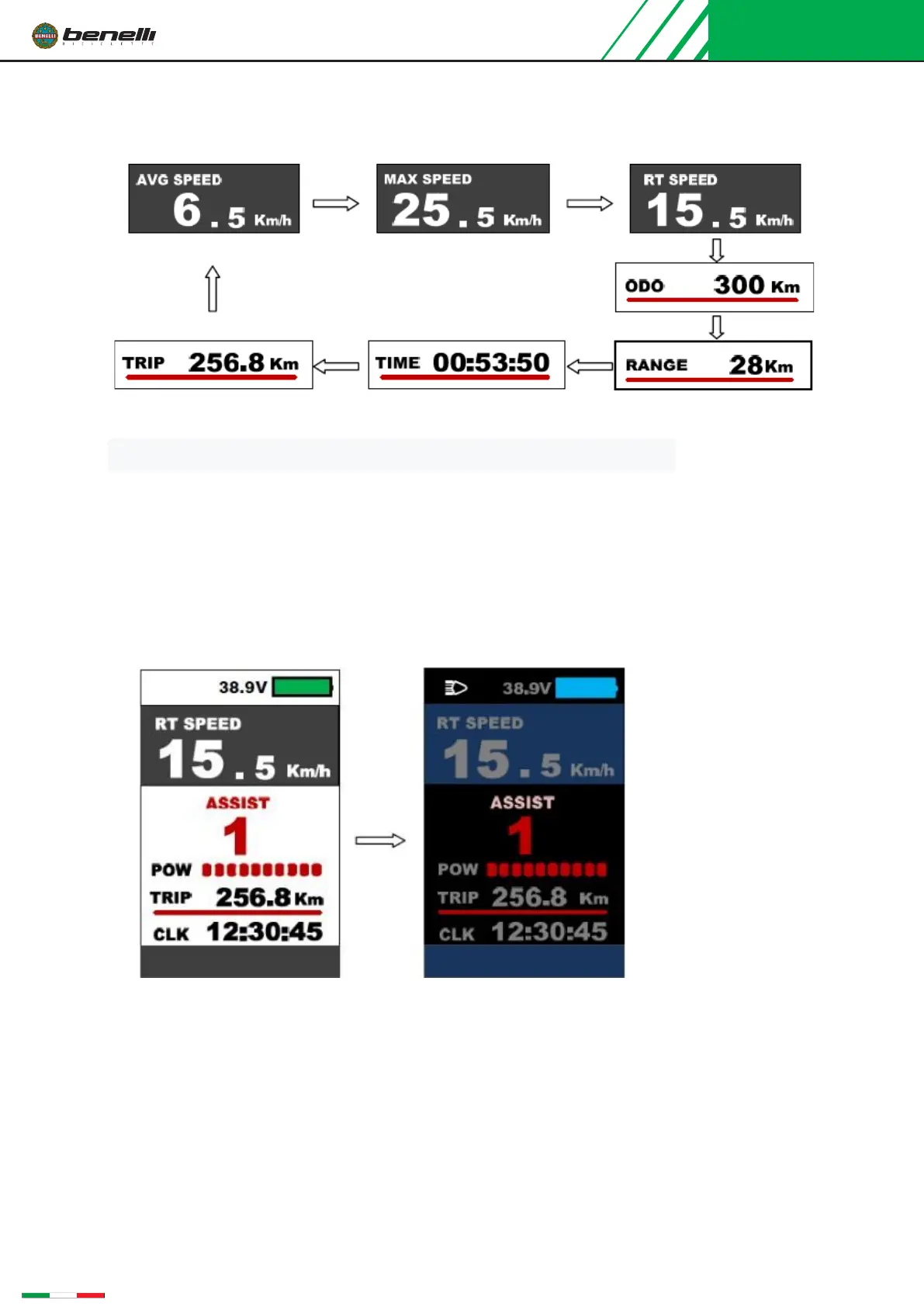
Speed mode and mileage mode switch display interface
※The meter will automatically return to the real-time speed display state after 5 seconds
7.5
Headlight switch/display mode switch
Long press the "+" button for 1 second, the indicator turns on the lights (supported by the controller)
and switches to display day/night modes. Long press the "+" button for 1 second again, the indicator
turns off the lights and switches the display mode.
Day Mode Night Mode
Walk assistance mode(6km/hr walk)
Press the “- ” button for 3 seconds, the bike enters walk-assistance mode, the display shows the
real-time speed, Pedal Assist level is P. Release the button, the bike
exits the walk assistance mode.



 To Next Page