-6-
SLOW
dBA
FAST
dBA
FAST
Max
dBA
C. DATE/TIME
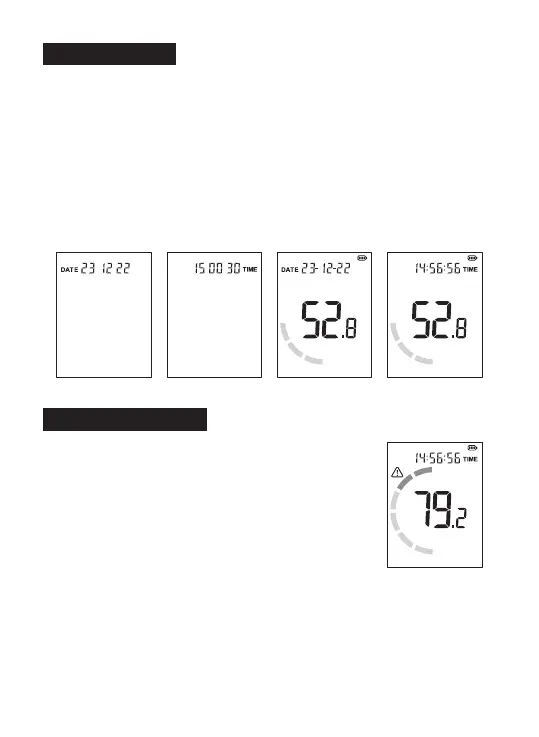
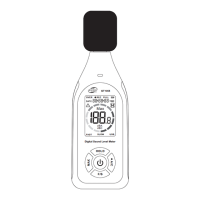
1. Date/Time setting:
Long press the Hold button to enter the DATE/TIME setting mode.
Short press the A/C button to switch between year - month - day - hour -
minute - second - exit setting mode successively (short press the MAX
button to switch in reverse order between second - minute -... - year - exit
setting), the value blinks when selected. Short press the HOLD button or
F/S button to increase or decrease the value. Long press the HOLD
button or F/S button to increase or decrease the value;
2. DATE/TIME display switch:
Long press the F/S button to switch the DATE/TIME display.
DATE Setting TIME Setting
DATE Display TIME Display
D. Maximum mode
1. On the measurement screen, short press the MAX
button to enter the maximum measurement mode.
The screen will display [MAX].
2. Maximum mode: The value will be the maximum
noise value after entering the mode. The value will not
be updated until the measured noise value is larger.
Short press the MAX button again to return to the real-
time measurement interface (the screen does not
display [MAX]).
Maximum mode


 To Next Page