44
111660 Rev C 5-13-14
To read the total number of sales and total number of price
changes, follow this procedure:
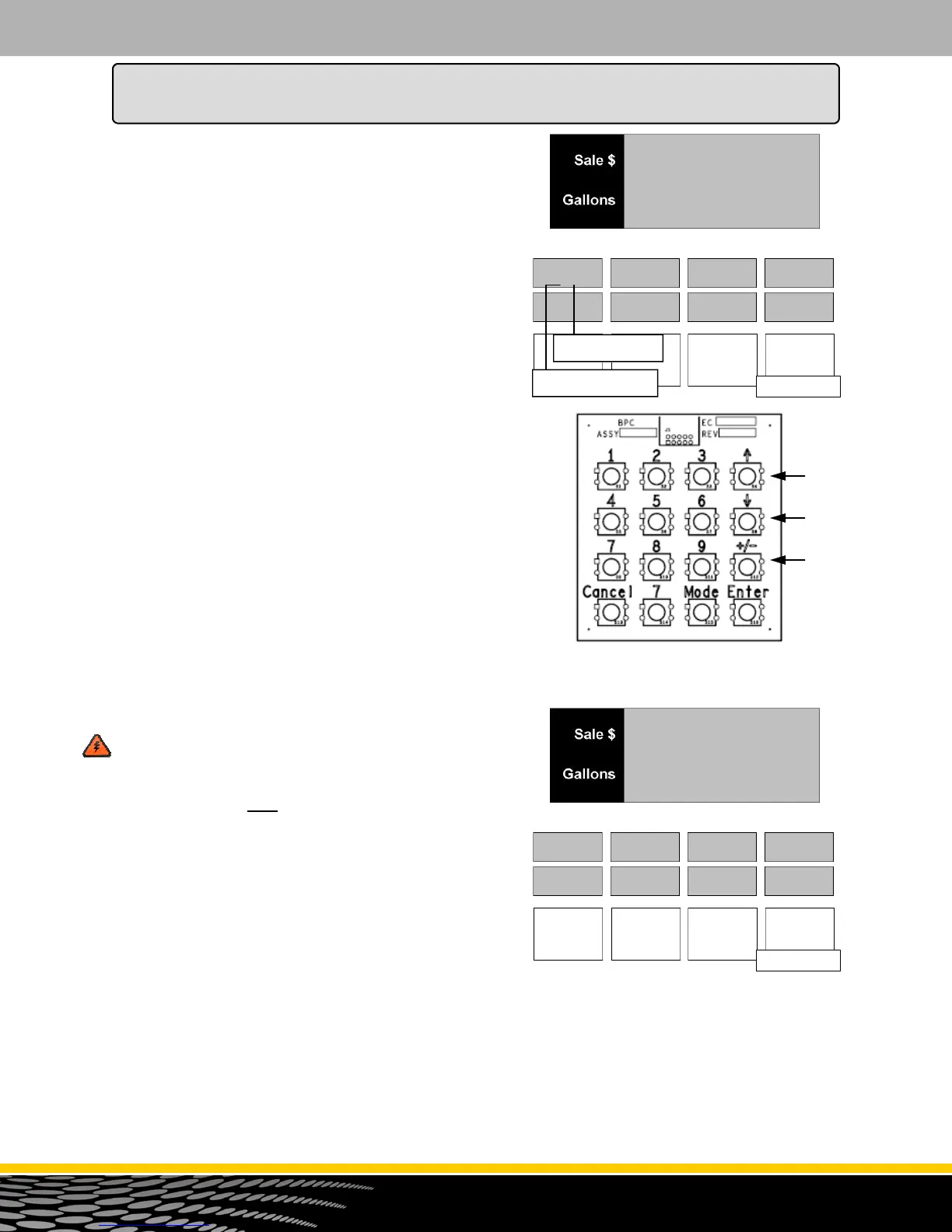
1. Press the +/- button. The main sales display indicates
Product 1 counter totals. See Figure 26.4.
The top line of the display shows the number of sales
for Product 1. The second line shows the number of
price changes for Hose 1.
2. To read the counters totals for Product 2 and the
remaining hoses, press the ENTER button or the
number button for the hose (1,2,3,4).
NOTE: To move from money press the button, to
volume press the button, to counter totals press the
+/- button. Remember, only the number of products
selected in Menu Code 7 will be displayed. See Figure
26.5.
If the dispenser is a blender Series:
The first product represents an
unblended Product.
The middle product represents the
blended total of the first unblended
Product and the last unblended
Product.
The last product represents the other
unblended Product.
WARNING: THE FOLLOWING PROCEDURE
ZEROS ALL THE SHIFT MONEY, VOLUME,
AND COUNTER TOTALS IN THIS MENU CODE.
MAKE SURE ALL TOTALS ARE RECORDED
BEFORE PROCEEDING WITH THE NEXT STEP.
DATA CANNOT BE RETRIEVED.
3. To reset the totals, press the 0 button. The screen will
flash with the message in Figure 26.6.
4. Press ENTER and the display returns to P11.d. ALL
TOTALS IN MENU CODE 26 ARE RETURNED TO
ZERO.
5. Press the CANCEL button to exit this menu.
Figure 26.5
012
345678
Figure 26.4
P13.d
P1 = Product 1
3 = Counters
EntEr
rESEtS
Figure 26.6
How to Program the Dispenser for Operation
Money
Volume
Counter



 To Next Page