Capture mode 17
English
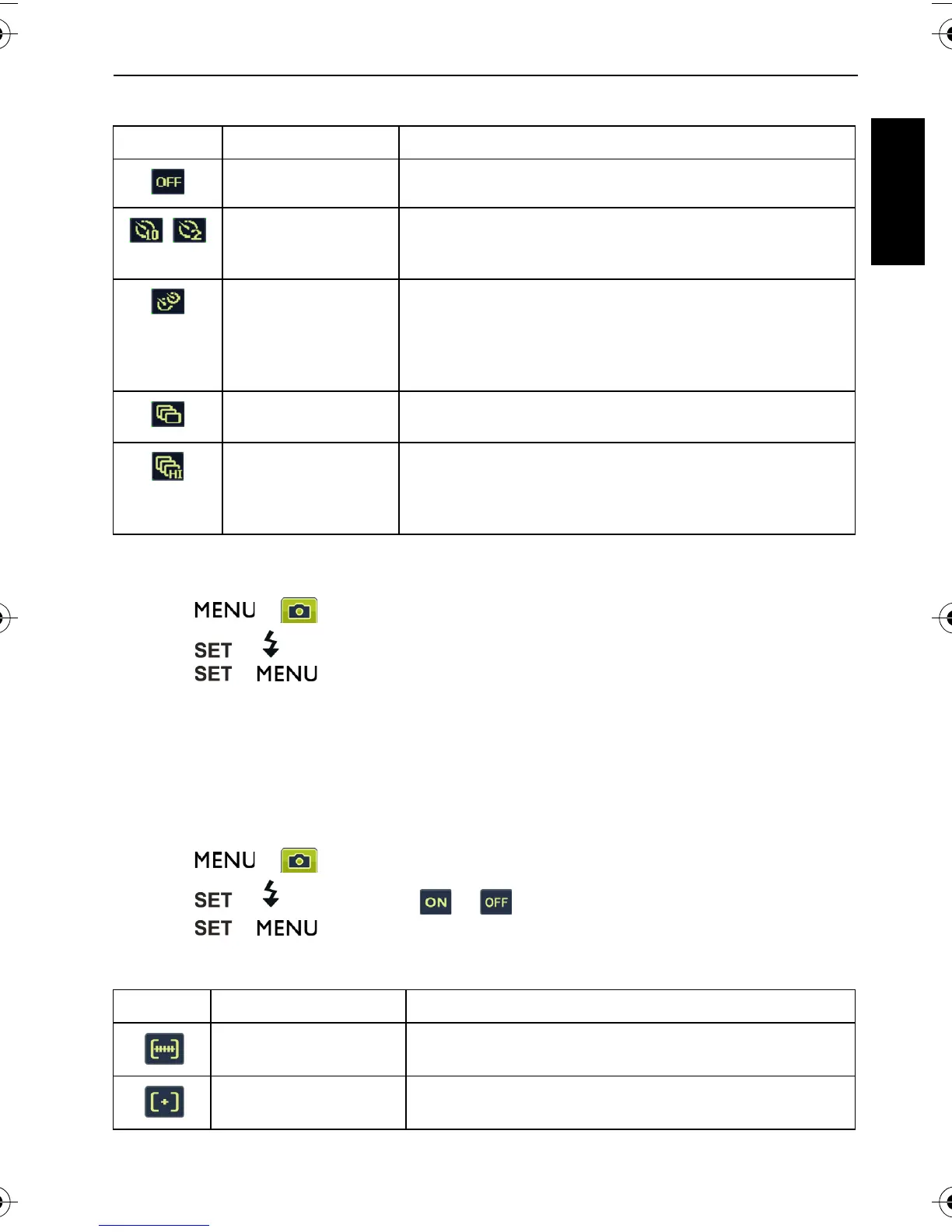
Drive mode
To select a drive mode:
1. Go to the Capture mode.
2. Press > > Drive Mode.
3. Press or , and then select a desired option.
4. Press > .
Auto Exposure Bracketing (AEB)
The AEB function automatically takes 3 pictures with slightly different settings in the
shutter speed or the aperture value.
To turn on/off AEB:
1. Go to the Capture mode.
2. Press > > AEB.
3. Press or , and then select or .
4. Press > .
AF area
Icon Mode Description
Off (Single) Takes one picture at a time.
Self-timer Automatically takes a picture after 2 or 10 second delay.
This mode is useful when you want to be part of the
picture.
Double Performs delay and capture twice:
1. Performs a 10-second delay, then captures the
image.
2. Performs another 2-second delay then captures the
image again.
Burst Continuously takes pictures as long as you keep
pressing the Shutter. The flash is always off in this mode.
Speedy Burst Press and release the shutter. When the photo size you
select is VGA, Speedy Burst will shoot continuously at
the speed of 30 shots per second. This will stop after 1
second or when the memory card is full.
Icon Mode Description
Wide Focuses on a wide range of multiple objects.
Center Focuses on the center area of the objects.
C1450_UM - EN.book Page 17 Monday, July 19, 2010 4:06 PM


 To Next Page
 Loading...