BenQ DC 5530 User’s Manual
Using the DC E63+ 19
English
3.3.3.1 Playback Mode Protect
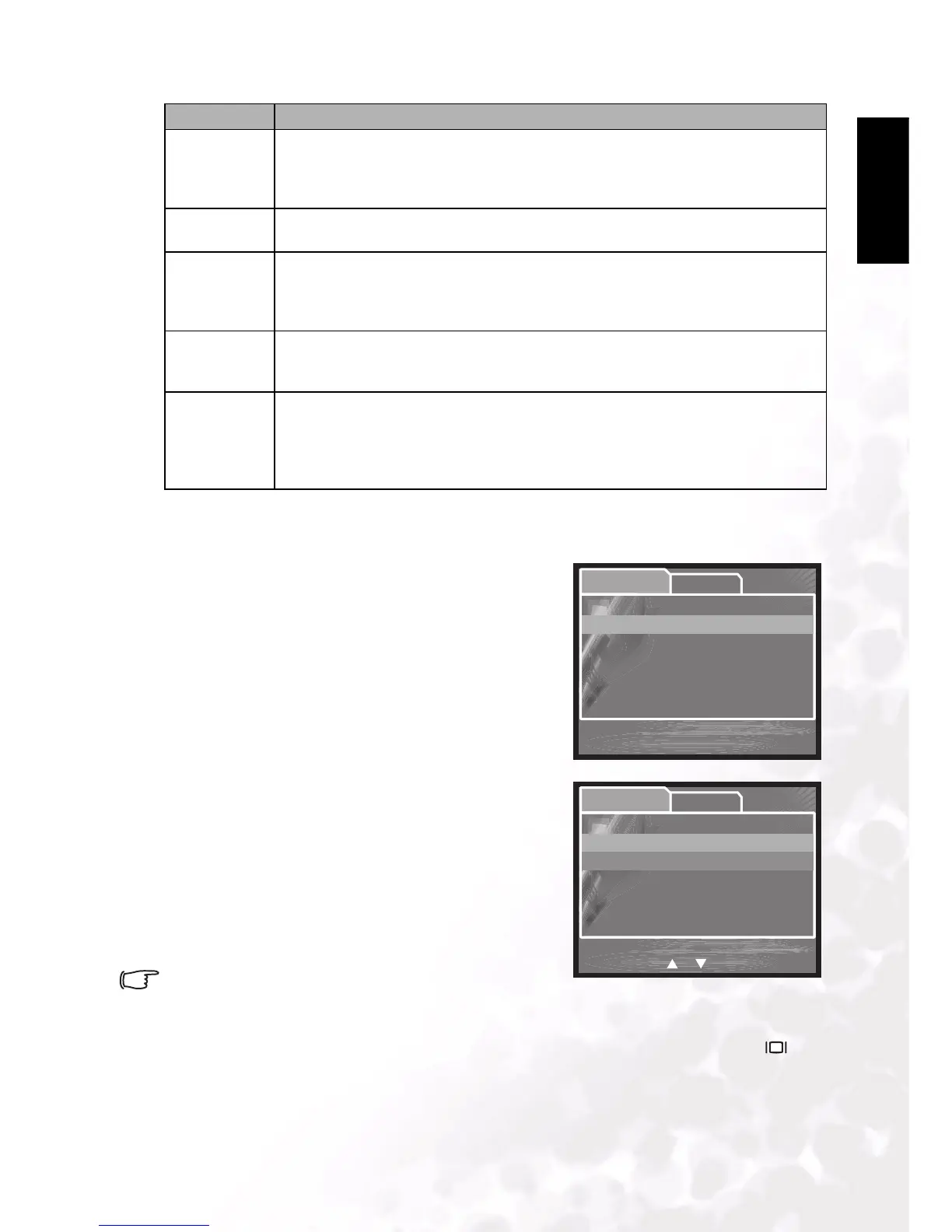
This function allows you to lock an image to prevent it from being deleted or modified.
1. Press SET to enter the [Protect] submenu
A submenu appears listing Protect options.
Single: Protects the selected image/movie or the
last image/movie.
All: Protects all of the images/movies on the SD
card.
Select: Erases a number of selected images/movies.
Refer to Using Select below.
2. Use the UP/DOWN buttons to select an option,
then press the SET button to display the next
submenu.
3. UP/DOWN buttons to select an option, then press
the SET button to confirm.
Set: Sets protection for the image or movie, or all
images and movies.
Cancel Protect: Removes protection.
Exit: Exits the menu.
• Protected images are marked with a lock icon.
Using Select
Press SET to display thumbnails of all images and movies.
Use the UP/DOWN/LEFT/RIGHT buttons to select the image or movie. Press [ ] to
tag the image/movie to be protected. Press SET to confirm protection.
PROTECT Sets the data to read-only to prevent images from being erased by mistake.
– Single: Protect a single image.
– All: Protect all images.
– Select: Select which images to protect.
LCD BRIGHT Selects a brightness level for the LCD monitor.
The adjustment range is from -5 to +5.
RESIZE Changes the size of a recorded image.
– 2272 x 1704
– 1600 x 1200
– 640 x 480
QUALITY
CHANGE
Enables you to convert the quality:
– Standard: Changes an image at Fine quality to Standard.
– Economy: Changes an image at Fine or Standard quality to Economy.
COPY TO
CARD
Allows you to copy your files from the camera’s internal memory to a memory card. Of
course, you can only do this if you have a memory card installed and some files in inter-
nal memory.
–Yes
–No
Item Functional Description
SetupPlay
Protect
Single
All
Select
Protect



 To Next Page