Viewing captured images and videos 9
English
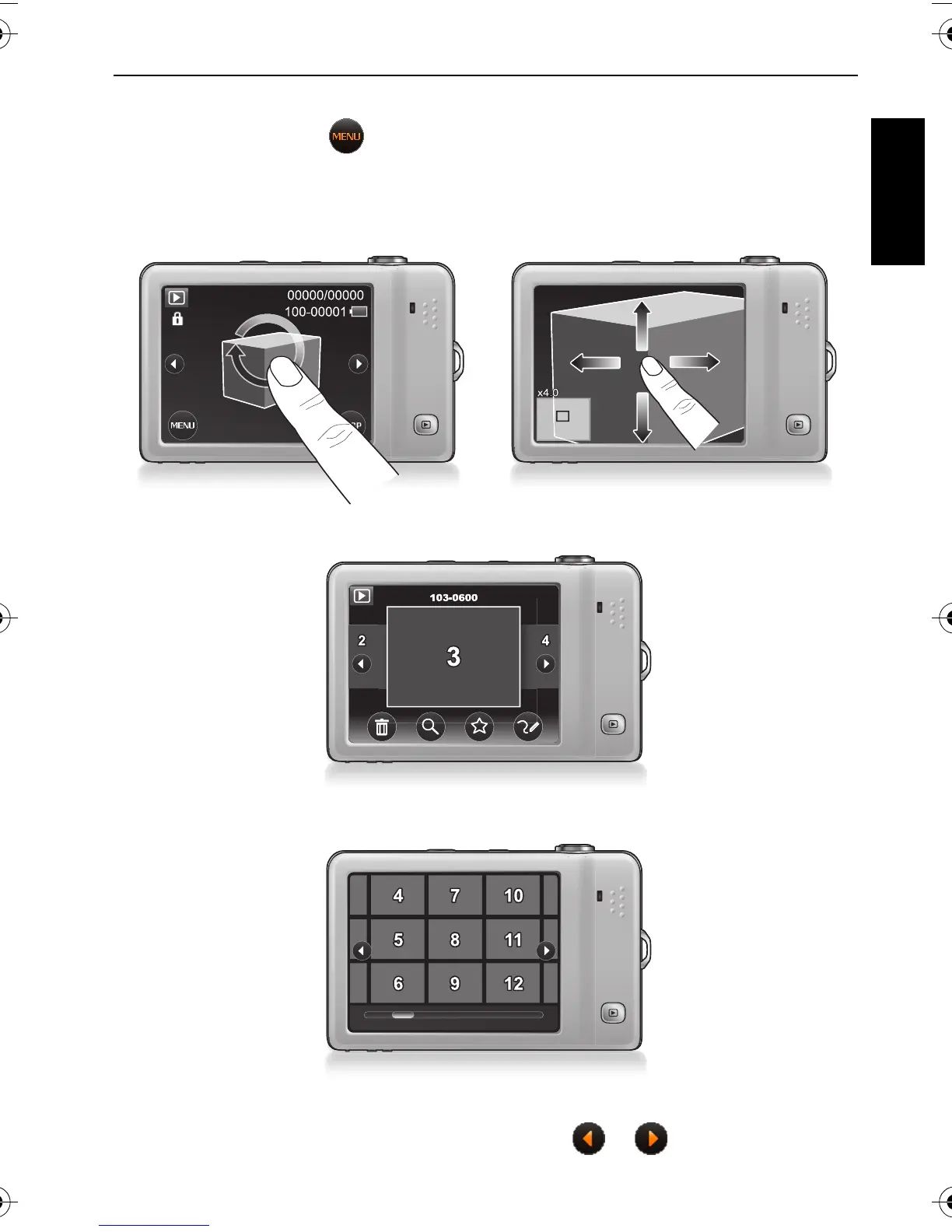
To toggle among different views:
• In this view, you can tap for options. Plus, slide to T or circle (either clockwise or
counterclockwise) the image on the screen if you want to enlarge the current image (not
available for an audio or video file). Once the image is enlarged, you can also tap and slide
the screen to move to a particular area.
• Tap anywhere on the screen to view files in the swipe-and-slide view.
• Slide to W to view files in the thumbnail view. Tap a thumbnail to view it in full screen.
• Slide to W again to view files in the calendar view (for files created in the current month). Tap
a thumbnail to view the files (created on that day), or tap or to search for more files
taken in other months. Plus, you can sort files by favorite.
T1460 UM-EN.book Page 9 Thursday, September 23, 2010 6:31 PM



 To Next Page
 Loading...










