EasyManua.ls Logo

BenQ DH551F - User Manual

BenQ DH551F
27 pages
Print Icon
To Next Page IconTo Next Page
Loading...
DH551F/DH550F/DL550F
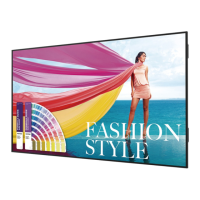
Double Sided Display
User Manual

Questions and Answers

  • V
    Valerie ScottAug 2, 2025
    How to fix no picture on BenQ Digital Signage?
    • Q
      qjohnsonAug 2, 2025
      If your BenQ Digital Signage display shows no picture, first, ensure the power cord is properly plugged in. Next, check that the main power switch on the back of the display is switched on. Also, verify that a signal connection is correctly connected to the display. Finally, ensure that the display is not in standby mode.
  • M
    Mrs. Kara Wells MDAug 9, 2025
    Why is the picture distorted on my BenQ Digital Signage?
    • W
      William MeadowsAug 9, 2025
      If your BenQ Digital Signage picture is distorted with abnormal patterns, ensure the signal cable is firmly attached. Also, check the video signal source to ensure it is within the display's capabilities. Verify the input signal specifications to confirm compatibility.
  • E
    esparzamarkAug 16, 2025
    Why is there interference on my BenQ Digital Signage display?
    • H
      huntersharonAug 16, 2025
      If you observe interference or hear audible noise on your BenQ Digital Signage, it might be caused by surrounding electrical appliances or fluorescent lights. Try moving the display to another location to see if the interference is reduced.
  • M
    Meagan AndersonAug 25, 2025
    How to prevent after-images on BenQ Digital Signage?
    • T
      Thomas GreenAug 25, 2025
      To prevent after-images on your BenQ Digital Signage display, avoid displaying a still image for an excessive period of time, as this can cause a permanent after-image to remain on the display.

Summary

Important Safety Instructions

Remote Controller Precautions

Package Content

Setting Up the Display

Positioning the Display Front Side Up

Instructions for orienting the display correctly before setup.

Connecting Power Box

Steps for connecting the power box to the double-sided display.

Connecting HDMI Cables

Procedure for connecting HDMI cables to front and back sides.

Troubleshooting

Common Issues and Remedies

Solutions for common problems like no picture, interference, and abnormal colors.

Specifications

Product Dimensions

BenQ DH551F Specifications

General IconGeneral
BrandBenQ
ModelDH551F
CategoryDigital Signage
LanguageEnglish

Related product manuals