Setting up the display17
Using the remote control
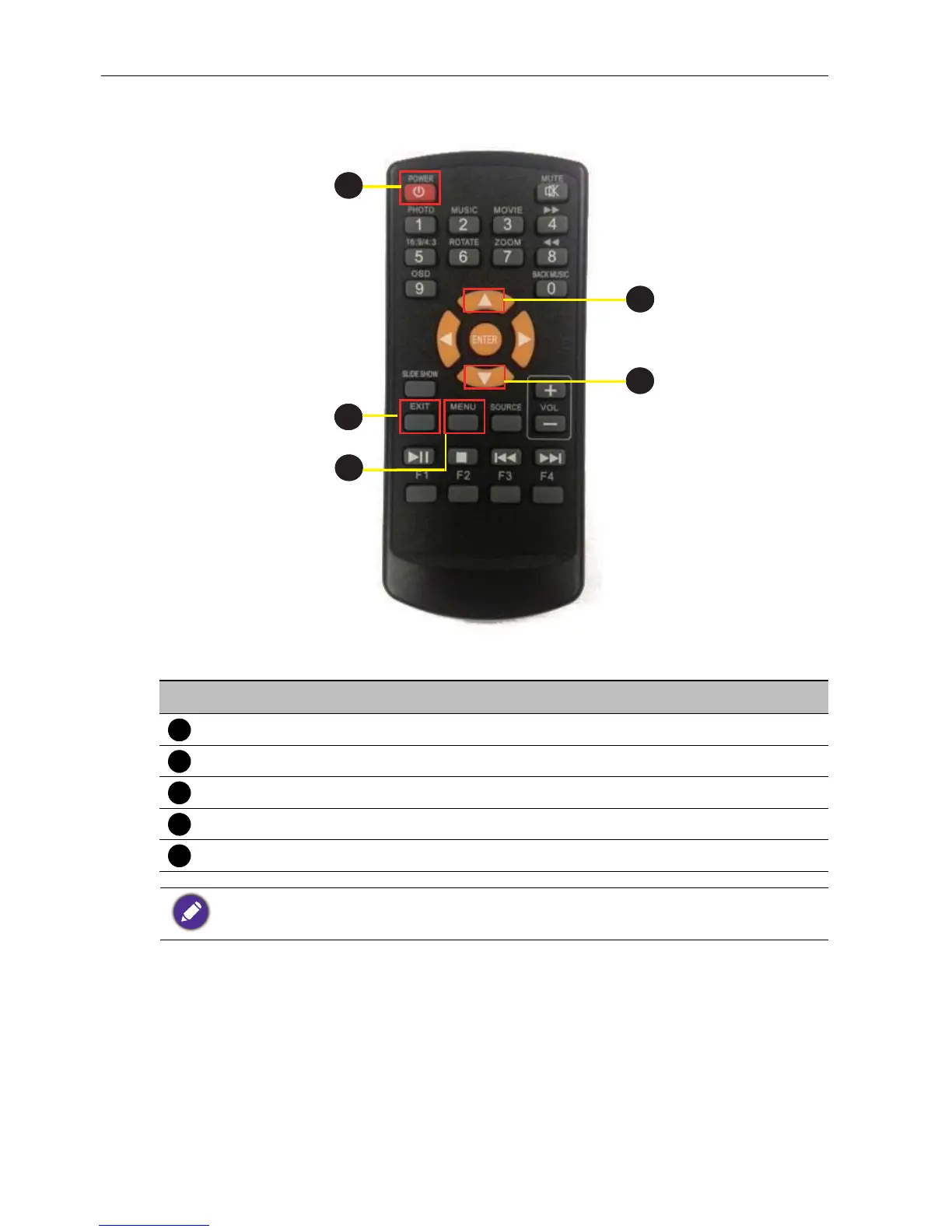
No Name Description
Power Press to turn power on/off.
MENU Press to enter OSD setting menu.
Press to move up in OSD setting menu.
Press to move down in OSD setting menu.
EXIT Press to exit menu/selection.
Buttons not specified above are idle from remote control operations.



 To Next Page