Menu settings24
System setting
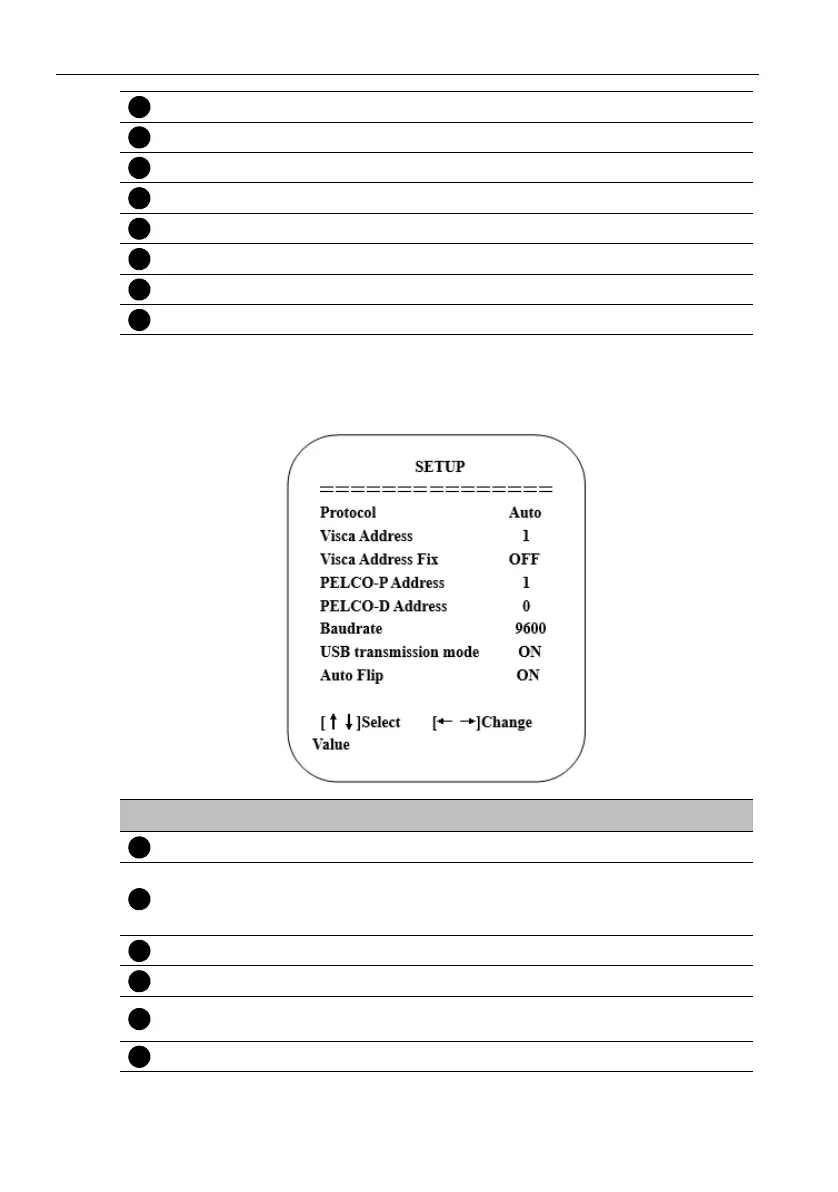
Move the pointer to Setup in the main menu, then click the HOME key and enter SETUP
as below.
Camera option Enter Camera setting.
PTZ option Enter Pan tilt setting.
Versi o n Enter Camera version setting.
Restore Default Enter Reset setting.
Select For selecting menu
Change Value For modify parameters
[MENU] Back Press MENU to return.
[HOME] OK Press HOME to confirm.
No. Name Descriptions
Protocol VISCA/Pelco-P/Pelco-D/Auto
Visca ADDR
• VISCA=1~7
• Pelco-P=1~255
• Pelco-D =1~255
Visca Address Fix On/Off
Baud rate 2400/4800/9600/38400/115200
USB transmission
mode
On/Off
Auto Flip On/Off



 To Next Page