Installation instructions 9
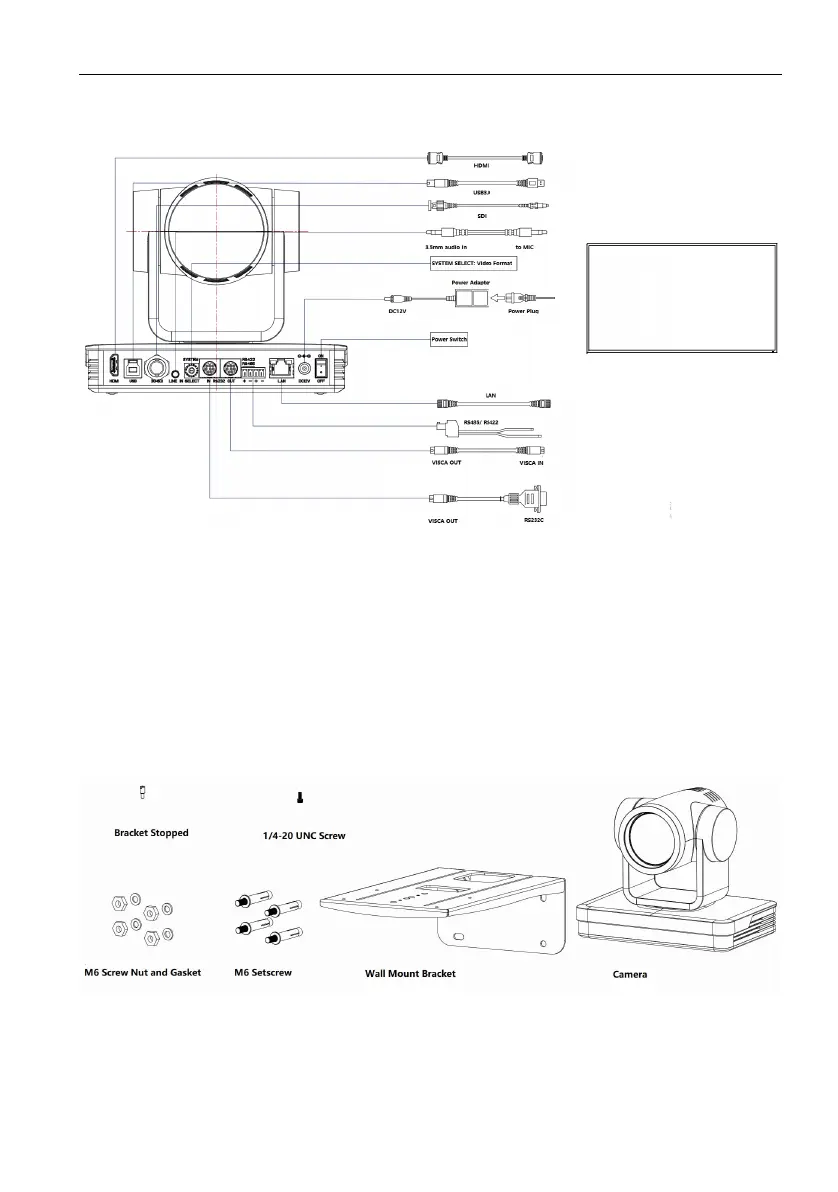
Interface wiring
1. If the No. 0 preset is set, the camera will switch to the No. 0 preset when the power-
on self-check is completed.
2. The default address of the remote control is 1#; the menu is restored to the factory
default, and the address of the remote control is restored to 1#.
Bracket mount
Bracket can only be wall mounted or upside down mounted on template and concrete
wall, but can not be installed on plasterboard.
1. Wall mount steps



 To Next Page