Network connection34
Streaming media
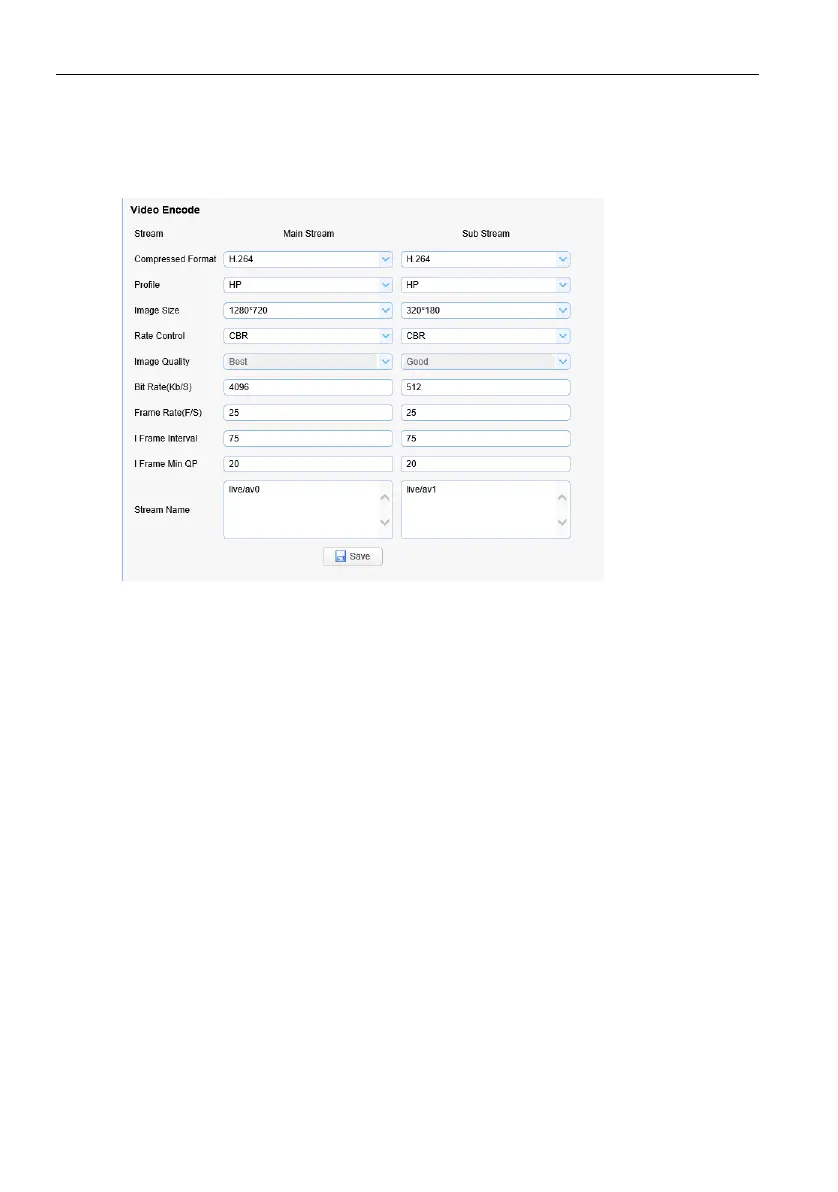
Getting Video Stream
Select Configuration > Video Configuration > Video Coding to enter the following
interface.
Configure parameters according to the network environment; note: stream name live/
av0 (e.g. live/xxx)
If the default IP address of the camera is 192.168.5.163, the way to obtain the RTSP video
stream is as follows:
rtsp://192.168.5.163:554/live/av0?av0 Main stream)
rtsp://192.168.5.163:554/live/av1?av1 Secondary bitstream)
If the default IP address of the camera is 192.168.5.163, the way to obtain RTMP video
stream is as follows:
rtmp://192.168.5.163:1935/live/av0?av0Main stream)
rtmp://192.168.5.163:1935/live/av1?av1 Secondary bitstream)



 To Next Page