Menu settings 25
Camera setting
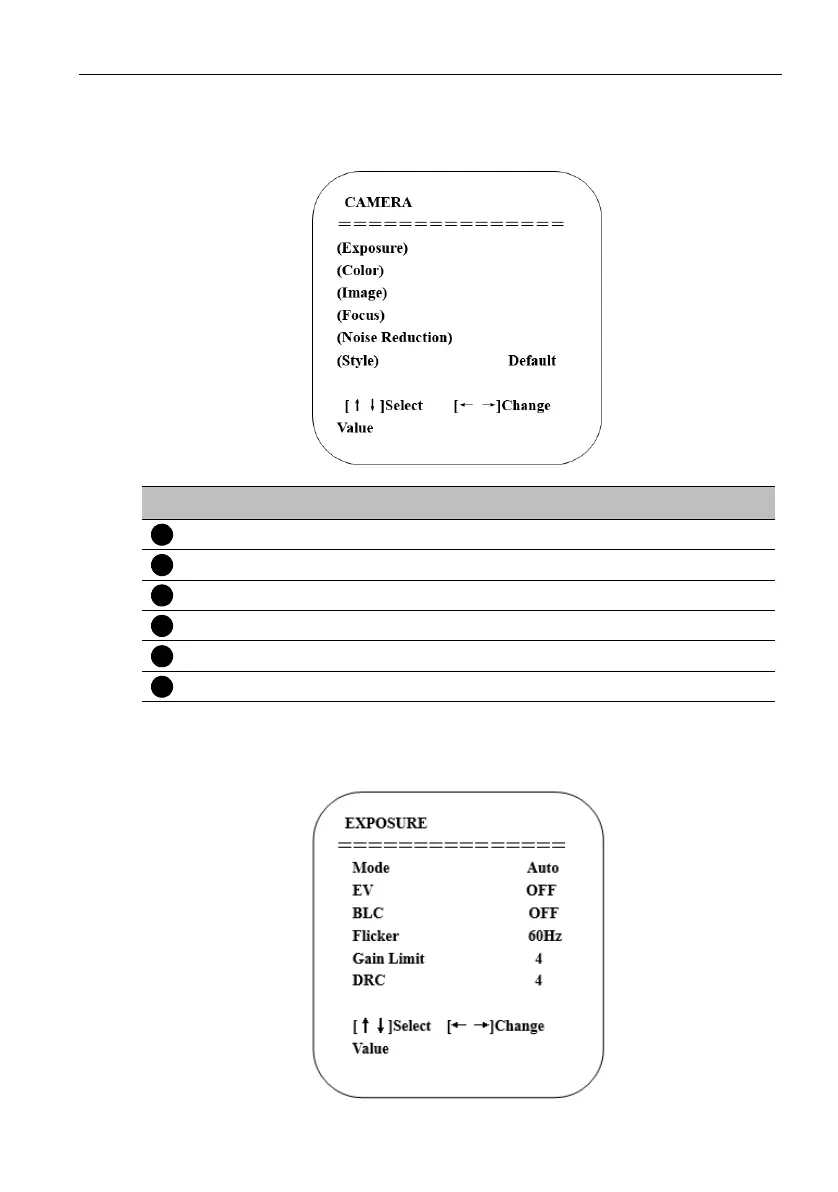
Move the pointer to Camera in the main menu, then click the HOME key and enter
CAMERA as follow.
1. Exposure setting
Move the pointer to Exposure in the main menu, then click the HOME key and enter
EXPOSURE as follow.
No. Name Descriptions
Exposure Enter Exposure setting.
Color Enter Color setting.
Image Enter Image setting.
Focus Enter Focus setting.
Noise Reduction Enter Noise Reduction.
Style Default, Normal, Clarity, Bright, and Soft.



 To Next Page