Network connection 35
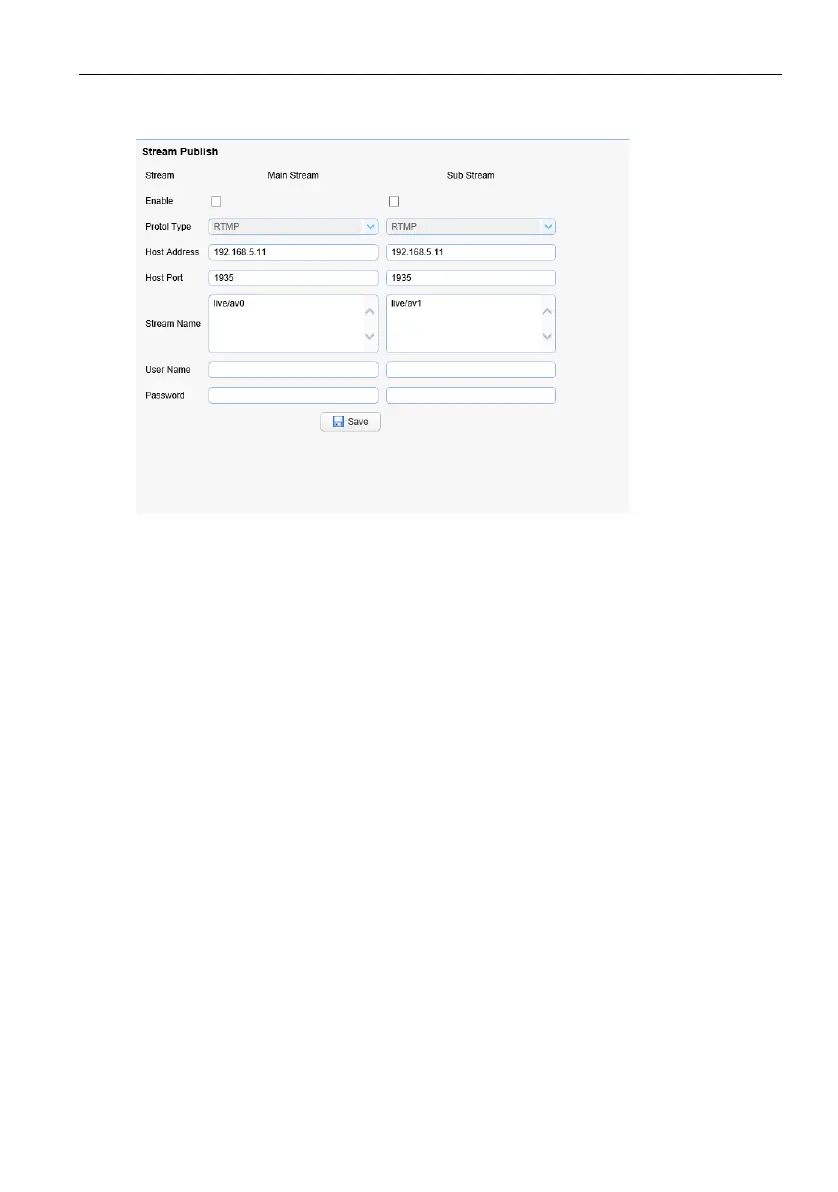
Push Video Stream: Select Configuration > Video Configuration > Stream Publishing to
enter the following interface.
To push RTMP audio and video streams to the server, the camera IP must be mapped to
the external network, otherwise the connection to the server will be unsuccessful.
Host address: Server address, either domain name or IP address
Host Port: Server Default Port Number
Stream name: live/test (for example: live/xxx)
User name and password: User name and password are set by the server; if not set, can
be left blank.
Access url: rtmp://server domain name address: server port number/live/xxx
Or (rtmp://server IP address: server port number/live/xxx)



 To Next Page