Operation
43
Displaying files with internal memory, USB
drive and SD card
The projector can display files saved in internal memory or external storage like an SD
card or a USB drive when you connect it to the projector.
To display files:
1. Turn on the power of the projector and the projector displays the home screen.
2. Connect the projector to one of the above external memory devices.
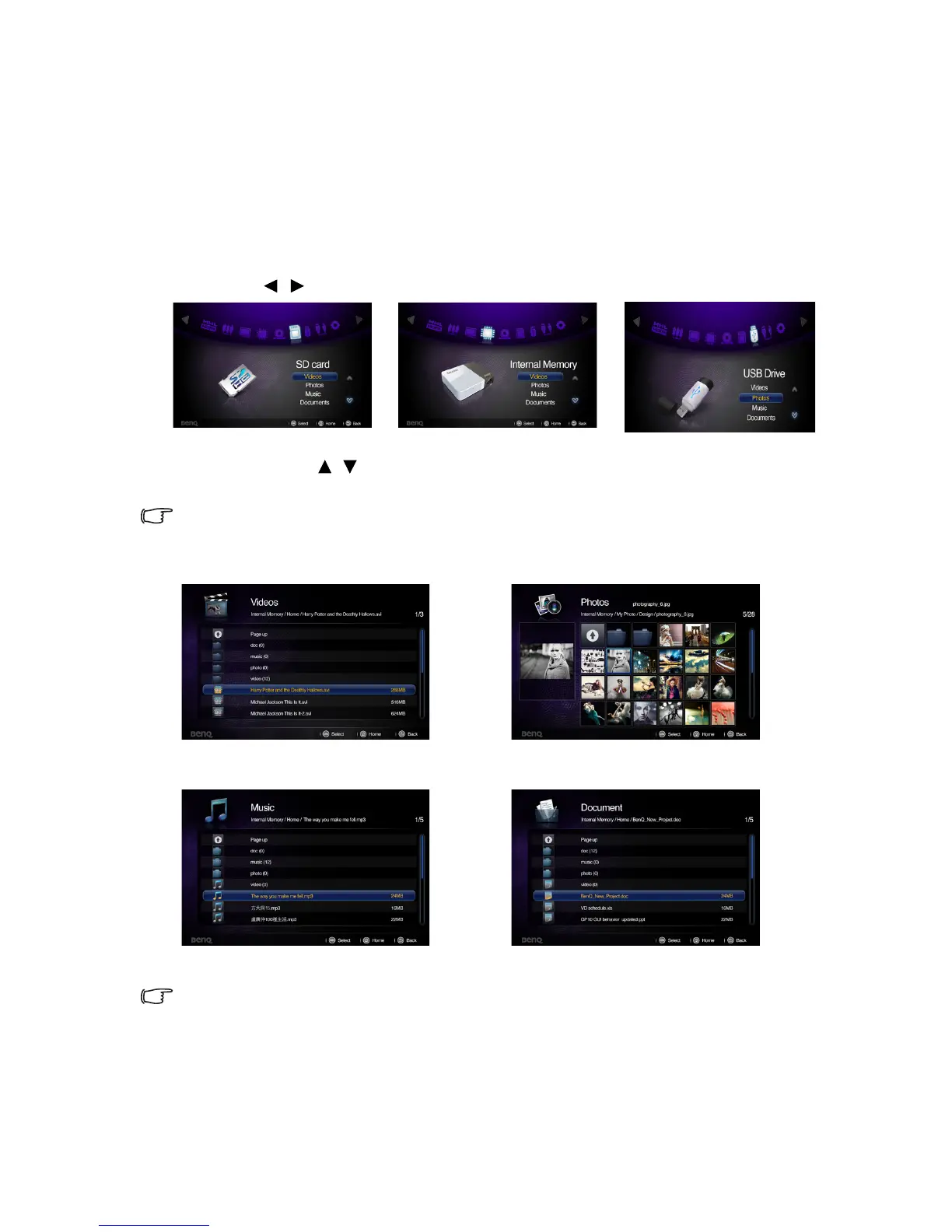
3. Press / to select SD card, USB Drive/Wireless Display or internal memory.
4. Storages are classified into Videos, Photos, Music, Documents menu in home
screen. Press / to select desired item and then press OK to enter different file
browser.
See "Using wireless streaming" on page 57 for details about the wireless display.
File browser window
You will only see relevant and supported files in each of file browser.
Videos Photos
Music Documents



 To Next Page